Featured Post Today
print this page
Latest Post
Showing posts with label iOS. Show all posts

News Update & Deal Of The Day : 8 Paid iPhone Apps On Sale For Free Today

Happy Monday, dear readers. You didn’t think we would let you go through an entire day without a list of paid iPhone and iPad apps on sale for free, did you? Better late than never, and today’s list is worth waiting for.
These are paid iPhone and iPad apps that have been made available for free for a limited time by their developers. There is no way to tell how long they will be free. These sales could end an hour from now or a week from now — obviously, the only thing we can guarantee is that they were free at the time this post was written. If you click on a link and see a price listed next to an app instead of the word “get,” it is no longer free. The sale has ended. If you download the app, you will be charged.

Delete Duplicates + CleanUp
screen322x572-1
Normally $0.99.
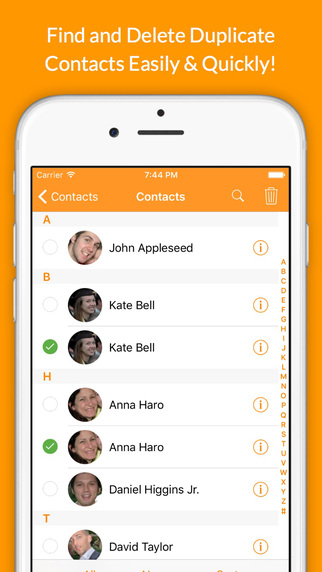
Thanks to this app, you can delete all the duplicate contacts from your address book, you can delete a lot of contacts all at once and you can backup your contacts right from your iPhone or iPad.
Users wrote: “It took me 5 mins what would have taken me more than 2 hours to complete”
“This is the best if you need to delete a lot of numbers all at once”
“So glad I found this!!!”
Features:
-Delete all the duplicate contacts from your address book.
-Quickly delete multiple contacts at once.
-Delete contacts according filters (without phone, notes, etc..).
-Delete contacts from a group.
-Delete groups of contacts.
-Backup your contacts.

This app is compatible with iPhone and iPad.

Guardian Sword
screen322x572-2
Normally $2.99.
From the creators of Tiny Defense comes Guardian Sword – a strategy puzzle RPG with unique gameplay and classic RPG charm.
Set off on an epic journey with Guts – a fearless swordsman who seeks an ultimate legendary weapon that gives the owner infinite power. But his road is not a bed of roses when it is the Guardian Sword that everyone can kill for…
The cause of “The Last War” has started!!
Guardian Sword is a strategy puzzle RPG, full of classic RPG charm that you rarely see in the genre these days.
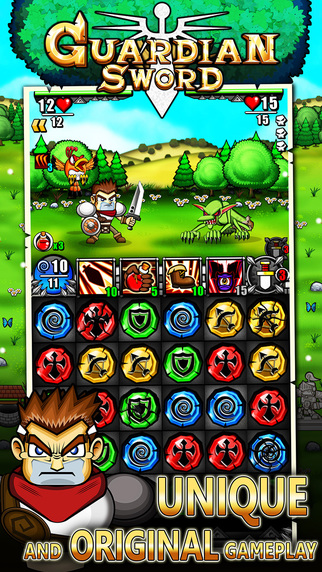
Guardian Sword Highlight is the unique gameplay that allows the players to customize the puzzles by themselves. You can choose from 40 Tiles with different abilities which means you can devise your own strategy in various ways and limitless.
If you are looking for a game that is all new and if you would like a simple yet very strategizing gameplay, you are looking for “Guardian Sword”.
GAME FEATURES
• Choose a set of Puzzles from 40 Tiles with unique abilities
• Enhance with more than 20 Special Skills and Ultimate Attacks
• Fight alongside your Teammates together with their specific skills
• Meet over 120 different enemies and defeat strong Bosses!
• Level up your character and upgrade as you wish
• Stores to buy Weapons, Armors and Items
• Large world map for you to travel over 90 maps
• Impressive story, from an ordinary man to a hero… How the story goes? Only the ones who play to the end of the legend know!!
OTHER FEATURES

• Game Center Leaderboard and Achievements
• Universal app: play on your iPhone, iPad or iPod touch
• iCloud support for you to share your progress across devices
• Official walkthrough and strategy guide
• Recommended Hardware – iPhone 4S, iPod touch 5th gen, iPad 2/mini or better

GetSpace
screen322x572
Normally $2.99.
Smart and easy way to save tons of disk space on your iPhone!
Keep your camera roll clean and don’t waste your time manually deleting unnecessary photos.
GetSpace helps you to free up your photo gallery from all unwanted photos AUTOMATICALLY.
Simple, elegant and intuitive interface designed with your convenience in mind.
Machine learning algorithms, face detection and neural networks are under the hood.

[Features]:
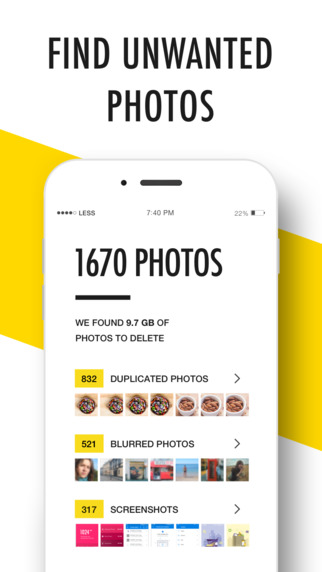
– Auto-finding of Duplicated photos. No more hundreds of copycats in your gallery! GetSpace keeps the best ones and deletes the worst. Machine learning algorithms and Face detection are under the hood. Also Manual control provided for your convenience.
– Auto-detection of Blurred and Unfocused photos. Lots of illegible photos? We had also. Delete them all in a few seconds!
– Love sharing Screenshots? Choose the unwanted old ones and free your disk space easily!

Plus new features in next updates:
Optimizing photos and videos of your gallery. Reduce the size of your photos up to 6x times with identical looking.
Keep your important photos safe from deletion.
Delete Instagram photos.

Useful tip: the system puts all your deleted photos in the “Recently Deleted” folder of your default Photos app. To delete them finally and free your disk space or restore your photos, please, follow this steps:
– Open default Photos app.
– Go to Albums / Recently Deleted.
– Press Select and Delete All (or Restore All).

Web Explorer
screen568x568
Normally $0.99.
Full featured web browser, Ads Remover, Power Downloader, Complete Webpage Saver, FTP client, ….!!!
“Amazing web browsing experience… “
Web Explorer feature highlights:
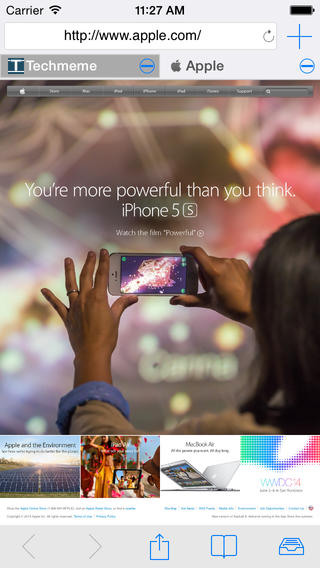
>>Super fast full screen, tabbed web browser.
— On all devices and all orientations.

>>Integrated text and web page translation.
— Launch translator on a new tab.

>>Download web files and links.
— Press and hold on pictures or file links to start download.

>>Save full content web pages for offline use.
— Complete web page saver.

>>Central media player
— Standard feature. Play all music and videos from one place. All media in App folders including iTunes File Sharing folder, iPod library and Camera Roll videos.

>>FTP browser. FTP upload and download.
— Browse FTP sites, upload and download files.

>>User Agent (Spoofing). By choosing Mac, Windows, iPhone, iPad or other options, you can request different content for the same site.
>>Integrated text search.
— Search web with selected text in the web page.

>>File reader supports all major file formats.
— View or play saved content from web or PC/MAC.

>>Configurable Start Page.
— Edit quick links on Start Page for easy access.

>>Power download
— Download multiple files/media/pictures from web page links or FTP directory. (In-App purchase).

>>ADBLOCKER for automatic ads removal.
— Block ads from nearly 3000 ads servers.(In-App purchase)

>> Document interaction.
— Open files from other apps with Web Explorer.

>>iTunes File Sharing with your PC/Mac.
— Exchange content between this app and PC/MAC.

>>Optimized for iPhone/iPad/iPod Touch.
— Customize interface best for different devices.

Support file types:
.xls,.key.zip,.numbers.zip,.pages.zip,
.pdf, .ppt , .doc, .rtf,.rtfd.zip, .key,.numbers,.pages,
.txt .m .h .c .js .css .cpp .php …

Ticket to Ride Pocket

screen640x640
Normally $1.99.
*** Winner of Pocket Gamer 2012 Reader’s Choice Award – iPhone/iPod Touch ***
*** Ticket to Ride just won the 2012 Pocket Gamer Awards for Best Strategy/Simulation Game!! ***

*** Apple Game of the Week (iPhone) in Europe, November 17-23, 2011- #1 in Board Games, #1 in Strategy Games in 32 countries, including UK, France, Germany, Canada and USA!
PUT THE BEST-SELLING TICKET TO RIDE BOARD GAME IN YOUR POCKET!
A UNIQUELY FUN TRAIN ADVENTURE THAT TAKES A MINUTE TO LEARN BUT A LIFETIME TO MASTER!

OVER 2 MILLION PLAYERS HAVE ALREADY HOPPED ON BOARD!
Kotaku Gaming, App of the Day: “If you’ve never played the board game Ticket to Ride, boy, are you missing out… I’ve only played the iPhone version, but can’t put it down.”
Cult of Mac: “Like its bigger iPad-dwelling brother, the iPhone version is very well designed and produced… It’s set to take the mobile gaming world by storm again.”
Epinions.com: “It’s the most enjoyable game I’ve played all year. Call it heresy but Angry Birds just didn’t do it for me like placing colored trains across a map of the United States. “
Gamezebo: “An excellent portable adaptation of one of the best board games of the last 10 years (and) a great point of entry for gamers not familiar with the series.”
TapCentral: “A phenomenal game at a phenomenal price.”
** What is it?
A digital adaptation of the best-selling Ticket to Ride board game, designed from the ground up specifically for the iPhone and iPod Touch.

** What’s in it?
• A SOLO and PASS-and-PLAY version of the US map that made the original Ticket to Ride board game so compelling and popular (2 million copies and counting…).
• LOCAL play support over a same Wi-Fi or Bluetooth network, making it perfect for a game-on-the-go between friends.
• A new MULTI mode for playing asynchronously with one or more online friends, using Game Center under iOS 5. You can even play multiple games simultaneously.
• 30 uniquely fun Game Achievements you can win while playing SOLO!
• Distinct leader boards showing your highest scores in 2-3 and 4-5 player modes and on Game Center.
• Four distinct AI personalities to compete against.
• A new under 2 minute Tutorial video, custom-shot for the iPhone & iPod Touch.

Hatchi
screen568x568-1
Normally $0.99.
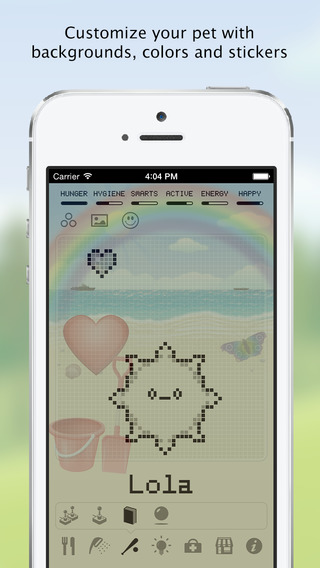
Hatchi is a retro-looking iPhone and watch app sure to get the nostalgia burning for all those who cared for a virtual pet back in the 1990s when they were at the height of their popularity. Just as with the keychain-sized pets of the 90s, iPhone, iPod and iPad users now will feed, clean, play with and generally look after their pets to ensure they grow up to be healthy, happy little Hatchis. He needs YOU!
*** Featured on Touch Arcade Best iPhone and iPad Games***
Your Hatchi monster will go through several stages of growth, and will look different depending on the type of care the player provides. There are also NEW EGGS you can get which give you all new types of Hatchi!
Customise your Hatchi!! You can:
* Choose different backgrounds like the park or the beach!
* Use stickers to customise the background to give Hatchi a better environment!
* Change the color of your Hatchi’s pixels!

How will YOU customise your Hatchi?
Play mini games!! including:
* The Hatchi Matchi memory game
* Hatchi Squares – play against your Hatchi!
* Roshambo – What Hatchi will you pick?
* Hatchi Catchi – move your Hatchi to catch falling food
* Its raining meds – avoid the meds!
* Whack a Hatchi – whack as many as you can!

and now our ALL NEW MULTIPLAYER BATTLING GAME!!
Play Hatchi Battle with your Game Center friends and see who wins!

Feed, clean, play and watch it evolve over several days.
“Say goodbye to your productivity. Say hello to your new friend.” Gizmodo.com
“It’s hilarious, but I really, really, really don’t want Big Poppa Pump (his Hatchi monster) to bite the dust. I’ve somehow bonded with the thing” TouchArcade.com

Time Off
screen568x568-1
Normally $1.99.
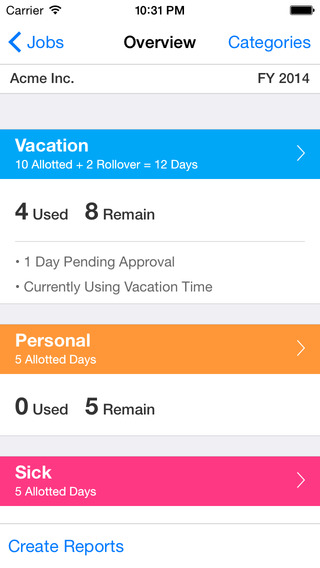
Finally, an app that makes it easy to request, remember and report all of your paid time off at work!
Great for tracking vacation days, personal days, or sick time, etc. Time Off keeps track of everything for all your places of employment.
EMAIL REQUESTS:
Email Time Off requests directly to your supervisor and CC yourself.

REPORTS:
Export beautiful looking reports that you can email to anyone! Send them as Excel attachments, or embed them directly in your email as html or plain text.

MULTIPLE JOBS:
Track multiple jobs for yourself or your spouse.

HOURS OR DAYS:
Record time as hours or days, whichever you prefer!

ROLLOVER:
Whether your time rolls over each year or you “use or lose” it, Time Off has got you covered.

5 CUSTOM TIME CATEGORIES:
Vacation, Personal, Sick, etc. Customize the names and colors of up to 5 different categories of time off!

BIRDS-EYE-VIEW:
Get a birds-eye view of the year on one simple overview screen. Each category has a summary for the amount of time available, used and remaining.

TIME OFF STATUS:
Your time is automatically grouped according to status, such as Pending, Currently Using, Reserved and Denied.

BEAUTIFUL AND EASY TO USE:
Time Off is the best looking and most user friendly app of its kind.

Meeting Box
screen322x572-3
Normally $2.99.
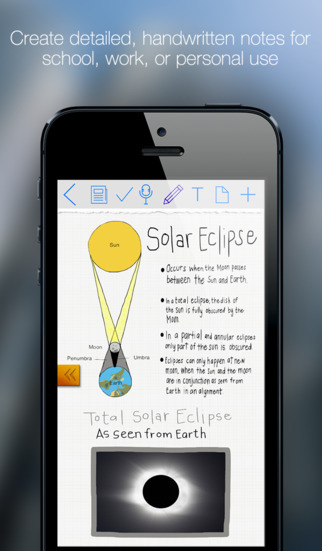
Meeting box is designed for the serious note-taker in mind. More than just another note-taking app, Meeting Box sets a new standard by also integrating a task manager, as well as map, photo, and webpage annotation. Menus are simple and uncluttered, and the interface is easy to use. Notes can be exported out of the application as PDF files, and shared by email or opened in another 3rd party application.
-Note-Taking Redefined
Meeting box is flexible, giving you the freedom to make your notes as complex or simple as you like. The drawing engine is smooth and fast, allowing you to add text, photos, highlighting, and more. Scribble, sketch, and embrace your creative side. Or simply use the built-in notepad to type to your heart’s content when your notes need to be fast and to the point.

– Form and Function
Meeting box embraces the idea that power comes from simplicity. The interface is designed to be elegant and minimalistic, maintaining a clean and fresh look. Organization is intuitive and clutter free as Meeting Box allows you to sort your notes and meetings into simple, yet efficient lists.

– Perfect for School AND Business
Meeting box is a great solution for students and working professionals. Capture your lectures or meetings with ease and style, and never forget another assignment or appointment again using built in tasks and reminders.
Meeting Box is perfect for lectures, college courses, work conferences, office meetings, journaling, and just about any other situation where you would want to capture something. Give Meeting Box a try today, and find out why it stands out above the rest!

News Operating System App Update : Microsoft Sway Now Available To Everyone; Gets Windows 10 App

Microsoft on Wednesday announced the release of its digital storytelling app, Sway, to the general public. The app was until now under 'Preview' mode. The firm also introduced Sway's Windows 10 app along with a new layout and publishing features. The iOS app has also been updated.

For those unaware, Sway was first introduced in October last year. The app is used to create professional designs including images, videos and text together to make a story. It also comes with a compatibility engine that does not hamper the presentation whether it is viewed on a smartphone, tablet, laptop or PC. Users can even import content from social media websites like Facebook, Twitter, and Youtube. The app can be taken as an alternative to Microsoft PowerPoint. Also, it is the company's newest addition to the Office productivity suite, and is integrated with Office Online.
Users can simply sign in with their Microsoft account on Sway.com to get started, or download the iOS or Windows 10 app. There are not many differences between the Web and app versions. While the Web version would need a constant Internet connection, the Windows 10 version can be used offline as well. However, to import images and videos from Facebook, Twitter etc., it would require an Internet connection. Sway for Windows 10 can be downloaded from Windows Store. The Windows Phone version would be arriving in the 'coming months'.

Microsoft has added a new layout in Sway's navigation pane that "displays groupings of content (images, text, videos, tweets, etc.) one screen at a time." The company adds that, "Whether it's a few words with a knockout background image, a set of images and supporting bullet points, or a cluster of interactive elements, now you can deliver a killer presentation in-person or for viewing across many devices." Also, sharing a Sway presentation to Docs.com is also possible. "Along with adding support for Sway, we've also improved the overall Docs.com experience for publishing, managing and consuming content."

New features of the Microsoft Sway for iOS app include more sharing options, more publishing options, and more language options.

News Apple iOS Update : How To Download The iOS 9 Public Beta

Apple’s iOS 9 public beta is now available to test, following its reveal at the company’s annual Worldwide Developers Conference (WWDC).

The new software for iPhone, iPad and iPod Touch has been designed to streamline everyday tasks and become more intelligent and attuned to your individual needs.
Signing up for the beta software programme with your Apple ID will allow you to test the system ahead of its expected full release in September, and report any bugs or errors as you may find. The first Apple products to ship with it are predicted to be the next generation of iPhones at the same time, going off previous release cycles.

As the beta is not a finalised version of iOS 9, some functions and actions may not work as expected and are subject to change ahead of the final roll out. The beta will receive periodic updates throughout the testing period.

How to do it :

Sign up to try the free beta here. You'll be asked to provide your Apple ID and agree to a terms of service. From there, hit "enroll your iOS device" on the "Getting Started" section.

Back up your current iOS data and then hit "Download profile", where you'll be prompted to install beta software. You have to do this part on an iOS device.

Once you've done that, go to Settings > General > Software Update to try it.

 The new public beta for Mac OS X El Capitan is also now available to download and test for free.

iOS 9 will see the introduction of new app News, which will replace Newsstand. News draws from respected news sources and publications to collate stories relevant to you, and will become increasingly refined the more you use it.

Other updates include photo, map and url-adding functionality to Notes, a new transit feature for Apple Maps and the transformation of Passbook into Wallet, where UK customers will be able to store credit and debit cards for use with Apple Pay.

Through iOS 9 the iPad takes on a new lease of life as a practical business-focussed tablet, with the introduction of simultaneous app-running feature Split View and Slide Over, which allows you to quickly dip into a second app, such as Twitter or your texts, without closing the window you’re currently working in.

When iOS 9 is available as a full download, it will require significantly less space than previous updates. iOS 9 will require 1.3GB of space, compared to iOS 8's whopping 4.58GB, and Apple has introduced a clever method of temporarily deleting apps in order to make room for the update to ensure as many customers are running the latest version of the software as possible.

Around 84 per cent of iOS devices are currently running iOS 8, while 14 per cent are using iOS 7. Only 2 per cent are continuing to run iOS 6 or previous iterations, according to Apple.

iOS 9 will be compatible with the iPhone 4s upwards, the iPad 2 upwards, both iPad Airs, all three iPad minis and the 5th generation iPod touch.

Hints and tips for downloading :
  • Ideally install iOS 9 on a secondary device. As it's not a full release, it might not have all the features you need.
  • Backup your device before installing.
  • Report any issues or bugs you find.
  • Be aware the beta will receive periodic updates during the time you use it.

News Apple iOS Update : Top iOS News Of The Week: Popular Apple Watch, Low Memory Installs, iOS 9 Beta 2

This week in iOS had news of iOS 9 installs to be better with low memory, a patent was granted for iPhones to work better with hearing aids, and claims that Apple Watch is more popular than the original iPhone.
Apple gets innovative with installing iOS 9 on low memory devices

When iOS 8 was released those with 16GB iPhones and iPads were upset as they didn't have enough free memory to install the big update. Those who wanted the update had to delete big apps and files, install iOS 8, then restore the files.

Apple has made owners of such devices happy with the announcement that iOS 9 will do that for them. The installation process will remove apps if memory is needed, and then automatically reload them after the update to iOS 9.

Source: ZDNet

Apple granted patent for better iPhone use with hearing aids
The iPhone has long had good accessibility features, and that could get even better for hearing aid users in the future. Apple was granted a patent that allows a moble device, think iPhone, that can use hardware sensors to detect proximity to a hearing aid and then adjust the phone volume automatically.

Say a hearing aid wearer gets a call. Picking up the iPhone and moving it toward the ear would raise the volume during the call, and then lower it back down when the phone is moved away from the ear.

Source: Cult of Mac

Beta 2 of iOS 9, El Capitan, and watchOS released

Developers testing the upcoming versions of Apple's OSes got the next version this week. Beta 2 of the three OSes -- iOS 9, OS X, and watchOS -- is now available for those intrepid testers.

Source: Neowin

Apple Watch more popular than original iPhone

Researchers have determined that demand for the Apple Watch is greater than that of the original iPhone a few weeks after launch. While this could indicate a stronger reception, odds are the lack of apps after the original iPhone launch has something to do with it.

Source: Cult of Mac

News Apple OS Update : At Last - iOS 9 Won't Make You Delete Your Apps To Clear Space For iPhone Updates

Handy inbuilt feature on Apple's new iPhone software will automatically delete and reinstall apps to free up space for large system updates

The days of deleting hundreds of photos from your iPhone to free up space for large software updates are over - thanks to a new feature within forthcoming operating system iOS 9.
Whereas in the past users were left frantically deleting the apps and elements which took up the most space, if you try to download iOS 9 on an iPhone or iPad with insufficient storage you are presented with a message offering to temporarily delete some apps so the software can be updated. The apps are then reinstalled following the download completion.

    hate that my phone has no space and i still cant download ios 8... never buying a 16gb ever again
    — El Max (@DesertScumbag) November 4, 2014

    Had to delete all these apps for iOS 8, just to download them right after it and still have space
    — Mik (@MikaylaaPaige) September 20, 2014

    I downloaded iOS 8 and it didn't even work and now I can't download it again because it's taken up all the space on my phone
    — Tom Bristow (@TomBristow2) September 20, 2014

    IOS 8: 5GB of free space for a 1.3GB download. iOS 8.1: 2.2GB of free space for a 120MB download. Seriously Apple. https://t.co/pClo8E17q0
    — Micah Singleton (@MicahSingleton) October 20, 2014

    The iPhone iOS 8 update only requires 7 GB of free space, a 10 X 10 storage building, and an empty tractor trailer to download it you guys.
    — Blunty Sarcastic (@Blunt_Sarcastic) September 29, 2014


Apple made a big point during its iOS 9 presentation at its Worldwide Developers Conference (WWDC) earlier this month that the new update would require significantly less space than its predecessor. Once it's publicly available, iOS 9 will require 1.3GB of space, compared to iOS 8's whopping 4.58GB.

How the iOS 9 app deletion message will appear
  
The update is a smart method of ensuring as many iOS users as possible are running the latest version of the software. Around 84 per cent of iOS devices are currently running iOS 8, while 14 per cent are using iOS 7. Only 2 per cent are continuing to run iOS 6 or previous iterations, according to Apple. 

Updating to iOS 9 takes nowhere near as much space as iOS 8

iOS 9 will be available as a public beta program from next month, and the first Apple devices to ship with it are expected to be the next generation of iPhones, predicted to be announced in September.

News Apple iOS Update And Review : Apple iOS 8.3 Review Check Out All New Features

 With iOS 7, Apple took its aging mobile OS and gave it a much more modern look and added new features, such as Control Centre, that made it quicker and easier to use. With the next version, iOS 8, it's arguably the biggest change the company has made, taking the work it did before and adding a ton of new features that dramatically change (and improve) the way it works, particularly if you own multiple Apple devices. Since the launch of the new OS, we've updated this review to reflect the changes in the latest version, iOS 8.1, which introduces some new features.
As with other Apple updates, it's available for free and for a wide range of older devices. See how to install iOS 8 for more information on preparing your device and for compatibility information. With the new OS comes new features, which will need new apps to make the most of them. Check out our best iOS 8 apps for more information.

iOS 8.3
Only a month or so after iOS 8.2 came out (see below for more details), Apple has released iOS 8.3. Again, there's not a lot in there that will make a lot of differences to most people, but in the UK it means that we finally get Wi-Fi Calling on EE, which works on the Phone 6, iPhone 6 Plus, iPhone 5S and iPhone 5C. When you're on a wireless network your phone can make and receive calls and SMS messages using the internet, rather than the usual cellular network. For times where you're in a reception blackhole, this feature is astoundingly brilliant, particularly, as you don't have to make any changes or fire up an app to make and receive calls: it's completely seamless.

Call quality is very good over wireless; in fact, you could argue that it's better than over the cellular network. You can listen to our call quality test in the Soundcloud below.

 The one issue that we have is that turning Wi-Fi calling on disables Continuity, which is the feature that lets you make and receive calls from your other Apple devices when they're on the same wireless network as your phone. As a result, Wi-Fi calling may be something that you only want to enable when you're out of regular phone range. Our instructions show you how to enable and disable Wi-Fi calling.

Other than that, iOS 8.3 lets you add Google accounts with an Authenticator password, without having to create an app-specific password; you can choose to download free apps without having to authenticate first; there's a wider range of emoticons; and the Spacebar has been elongated on Safari to reduce the risk of accidentally hitting the full-stop. Other than that, there's a list of minor bug fixes and updates.
 
iOS 8.2
Apple has recently released iOS 8.2, another minor update to iOS 8. It doesn't change any of the features that you'll read about below, instead introducing some more bug-fixes and fixing some stability problems. It's still early days yet to see how much of a difference has been made, but people are still complaining that they're suffering from poor Wi-Fi performance (the 'WiFried' bug). Apple has also pre-installed the Apple Watch app on iPhones, which can't be removed. The app's also a little annoying because its icon's design is completely different to every other Apple apps'. Our advice is to create a folder for Apple Apps you don't want to use and hide them on the last home screen.

It's worth pointing out that iOS 8.2 is worth installing for security reasons, as it also fixes the FREAK security vulnerability, which makes SSL connections on iOS devices insecure.
 
Look and feel
From a first glance, you can't tell that much has changed with iOS 8, as it retains the same look as iOS 7. That's no bad thing, though. Familiarity helps people pick up the new OS more easily; besides, we largely liked the new icons and look of iOS 7, so it's good to see it retained here. There are a few little tweaks, though. Most noticeable is that the task switcher now displays your most recently contacted and favourite contacts in little round icons. You can disable this feature if you'd prefer not to have it.
Spotlight has also been revamped, so it now searches external sources, as well as just your iPhone. As you start typing, Spotlight will search your phone and Maps, Wikipedia, News, the iTunes and App Stores, and suggest websites to you. It's a big improvement and makes the search a lot more useful than it was. Apple's also simplified the Today screen. You still get the Today screen, which can now house custom widgets from any app, but there's a single Notifications screen for every alert, rather than a separate Notifications and Missed screen. All of the other changes come under the bonnet, with iOS 8 completely revamping the OS and adding in a ton of new features. When iOS 8 launched we found that Spotlight would occasionally return blank results, but iOS 8.1 and iOS 8.2 updates seem to have fixed that.

Interactive notifications
A neat new change is that notifications are now interactive, so you can respond to them without having to open up an app. For example, if you get a new text message, you can swipe right-to-left on the Notifications screen or lock screen and tap Reply. You can then quickly compose your reply without having to open up Messages in full. It's only a small time saver, but the feature could get more powerful if developers make the most of it.
Continuity
One big change with iOS 8 is the way that it interacts and plays with your other Apple devices. Continuity is a great example of this, letting you share and use resources on one device on another, all seamlessly. For example, if your iPad is on the same network as your iPhone and someone calls you, your tablet will ring as well and you can answer the call from there. Your iPhone 'simply' takes the call and pumps it over your Wi-Fi network. It's brilliant news for those times where you've got your phone on charge or you've left it in another room, but you need to answer that incoming phone call.

Call quality isn't bad, either. There's a slight delay to the call and, as the iPad is a hands-free device only, your speech isn't quite as clear as when using the iPhone itself. Don't get us wrong, the call quality is more than good enough for most purposes. Should you want a bit more clarity, you can go to your iPhone and tap the green banner at the top of the screen to return the call back to the iPhone.

If you're worried about your iPad ringing in the middle of the night when your phone's set for Do Not Disturb (DND), don't worry. Everything on your home network obeys the DND rules on the iPhone. For example, if your phone has Do Not Disturb turned on, your iPad will not ring unless you have a rule to let the caller through. The only other exception is what happens when your phone is unlocked; if you've got this set to overrule DND, then your iPad will also ring.

The one thing that was missing from the original release of iOS 8 was the SMS relay service. Now available, this lets you get your SMS messages on your tablet, iPod and OS X Yosemite computer, in the same way that iMessages are currently sent to all of your devices.

Unlike with the phone call feature, you don't have to have your devices on the same physical network. Instead, text messages that come to your phone are then uploaded to iCloud and synchronised to all of your devices. In addition, you can send SMS messages from any device, with the message going to iCloud before being sent to your phone to be sent over your mobile network. This feature works seamlessly and being able to pick up your messages from any of your devices is brilliant.
For security, any iPad or Mac that you want to use the SMS Relay service with has to be authorised via your phone. This is a simple case of opening up the messaging app on your handset, which will pop up a security number on the screen; tap this number into your phone and you're away. It works brilliantly and means that no matter where you are or what you're doing, you can receive and send important messages. For more on this feature, see how to use Continuity.

Handoff
While most Continuity features happen automatically, Apple has also added Handoff, which lets you share tasks between your devices. For example, if you've started writing an email on your iPhone, you can carry on writing it on your iPad or vice versa. As you'd expect, switching tasks is incredibly simple. On the device you want to send the task from, you just open up the app (they have to be Handoff enabled) and make a start. On the receiving device, you can then either select the icon that pops up on the lock screen or you can select it from the Task Switcher. Either way you can then continue composing the message from where you left off.
Handoff also supports Safari, so you can send the current page you're viewing from one device to another. It doesn't do anything different to iCloud tabs, though, which already let you view websites open on your other Apple devices. For security, the sending device has to be turned on and the app open. Secondly, Handoff uses Bluetooth for discovery, so it only works at relatively close range. Finally, as only the current app is made available for Handoff, nobody can view all of your open tasks.

As good as Handoff is, it doesn't always work perfectly, and we've had occasions where our iPad couldn't see our iPhone and vice versa. For more information on this, check out our guide to Handoff.
 
AirDrop
AirDrop has been revamped for iOS 8, allowing you to send files, share links, contacts and more between iOS and OS X Yosemite. When it works it's brilliant, but we've found that discovering devices to transmit to can be hit and miss. We've written a guide to fixing AirDrop, which you can try if you're having problems with it.
 
OS X 10.10 Yosemite
The good news is that all of these features are available in OS X 10.10 Yosemite, which is a free update. Once you've got this update installed you'll be able to receive phone calls on your Mac, send SMS messages and use Handoff with any of the supported apps.
 
Automatic hotspot
Creating a hotspot from your phone was an easy way to share its mobile connection, but Apple has made it even easier now. Now, with Continuity you can set up the hotspot from the device that doesn't have an internet connection, most likely an iPad. All you have to do is go to Settings, Wi-Fi and your internet-connected phone will appear - tap it, and its hotspot is turned on automatically, and the requesting device connects automatically. It means you can pull your Wi-Fi tablet out and get online without having to juggle setup on two devices.
 
Safari
Safari has had a few important updates too, including the way that Private Browsing works. With iOS 7, you could start a Private browsing session, where web pages you visit aren't stored in History and anything you enter isn't saved to Autocomplete, and you'd get asked if you wanted to keep or close all current pages. With iOS 8, you don't get this choice. Instead, you can have Private tabs and regular tabs, switching between the modes as you see fit. For anyone that's really paranoid, you now have to shut down all of your Private tabs manually; if you don't and you hand someone else your phone, they can switch to Private mode and see what you were looking at.
Equally important, for some people, is that any video or audio file that you open in Private mode, automatically appears in the playback section of Control Centre, which you get by swiping up from the bottom of the screen. So, if you go into Private mode, watch a YouTube video and then switch back to regular mode, you can then bring up Control Centre, hit Play and the video will pop-up in Private mode and carry on playing.

A bigger and more useful change in Safari is that it can scan credit cards using the phone's camera. Rather than sitting there having to type in your details, you just point the phone at the card and OCR does everything else for you. It's quick to pull in the long card details, but we still had to manually enter the start/end dates and security code.
Safari's been able to store passwords for a long time, but now other Apps can tap into this repository. For example, if you create an Amazon account and Safari remembers your username and password, the Amazon app can pull the same information out. It's neat how this information can be shared and should make switching between the web and an app an easier and more straightforward experience.

Our one issue with Safari is that it's not always the most stable browser. Although it rarely completely crashes, it quite often tells you that there was an error with the current page and that it has to reload it. It's rather annoying, and we'd like to see the browser become slightly more robust.

Apple Pay
Of course, this card scanning technology will come in use when Apple launches Apple Pay in the UK. This will let you store credit cards in Passbook. You'll then be able to use the details to pay for goods online and, with NFC-enabled devices (currently the iPhone 6, iPhone 6 Plus and Apple Watch), in stores using contactless payment. At the moment, Apple Pay has only been launched in the US, so we're going to have to wait a while before we see how it works in the UK.

Family sharing
Family Sharing is a much-welcome feature for anyone that lives in a household full of Apple owners. It lets you share purchased films, books, music and eligible apps between your entire household; share photos and videos in a special photo stream; share your location with other family members; schedule events in a family calendar; and track down lost or stolen devices using Find My iPhone. One member is the lead in the family and they pay for everything using their account. Don't worry about bill shock, though, as you can switch on a mode that forces your kids to ask permission to buy an app.
Camera app
Apple has given the Camera app a slight tweak adding in a couple of new features. Time-Lapse is one great new addition, capturing video at a slow frame rate, so you can capture a long event and view it in a short period of time, such as bustling crowds, or clouds floating overhead. It's pretty clever the way it works, too, adjusting the frame rate to match the duration of the video. There's a great explanation of this over at Studio Neat.
 
iCloud
With previous versions of the OS, the iCloud cloud storage service was there for backup, photos and documents, but these functions largely stayed separate from one another. With iOS 8, iCloud has changed. For starters, you can save documents from any supported app into your iCloud Drive, which is then accessible from any supported app on your iPad, Mac or Windows PC. Likewise, you can drag-and-drop files from Windows or your Mac into iCloud drive, and then access then from your iPad or iPhone.

It's going to take a while for developers to add in iCloud support into every app, but this is definitely a move in the right direction. Just watch out, as some developers are charging for iCloud access, such as for DocsToGo.
 
Find my iphone
Find My iPhone gets an overhaul, with a new option letting your handset send its last location to Apple when it runs low on battery. This is a really handy feature if you lose your handset when it's just about to run out of power.
 
Photos
With iCloud you used to only be able to share the last 30 days' worth of images, up to 1,000 photos in total. This meant that on every device, you had your Camera Roll and My Photo Stream, each with different photos. Apple wants to change this with the iCloud Photo Library, which is in Beta with iOS 8.

This will automatically upload all of your photos to the iCloud (including RAW files) and keep them there, so that you can view them from any device. From your iPhone or iPad, you can choose to download the full-resolution versions, or versions optimised for your phone's or iPad's storage.

While you can enable the feature now (it's under Settings->iCloud->Photos), the equivalent OS X app (Photos) has only been released under beta: from a computer you can only view your photos online at beta.icloud.com. As a result, you may want to wait until Photos is officially released with the next OS X update before you upgrade.

If/when you upgrade, you'll need more iCloud storage, so Apple has dramatically dropped its cloud storage prices. This feature is in Beta, but new sign-ups have been closed, so we couldn't test this out. We'll update this review once we've had a chance to use it properly.

Apple has also update the photo viewer in iOS 8, so you can now hide photos that you don't want other people to see, by long-pressing a photo and selecting Hide. All photos that you do this to appear in the special Hidden folder. More useful to most people is that recently deleted photos are moved to the Recently Deleted folder, letting you recover them before they're gone for good.
Extensibility
Apple has made iOS 8 its most open operating system yet. With previous versions, the company was always extremely strict in some areas. For example, you couldn't install a different keyboard and an app couldn't add its own Widget into the Today screen. With iOS 8 that all changes. Now you can download and install your own keyboards, switching between them at will. It's a bit of a faff to do, as you have to download the keyboard app, then select it in Settings as one you'd like to use and then give it full access to the system. However, it's great to see Apple finally taking this step. While we think that its new keyboard is a big improvement, there are plenty of other alternatives out there, such as the excellent SwiftKey.
It's good to see that Apps can now add their own widgets into the Today screen, too, letting you get the information you want much faster. There's still no full home screen widgets, Android style, but both approaches have their merits: Android gives you complete flexibility, but it can look messy and you have to remember which home screen your widget is on; Apple's arguably less flexible, but having everything in one simple menu that you can access from anywhere is extremely useful.

Extensibility goes further, too, letting you carry out an action in one application from another. For example, you can use photos to browse your images, but then open up Camera+ or Fragment to edit the photos. For this to work an application has to support Extensions and you have to enable the operation from each app you want to use it in. Still, it's a great thing to see and having more choice and flexibility in iOS 8 is something that we've all been calling out for.
Keyboard

Apple's keyboard has always been a little basic, but QuickType is a huge improvement. As you type, you get choices of words and phrases appearing above the keyboard, which you can tap to autocomplete. It also learns, so text messages are more colloquial than emails, and you get an easier tone with friends and more formal one with colleagues. It's pretty neat and we found that it really improved our typing speed, while cutting out errors that the old auto-complete system would make.
 
Messages
Messages gets a few new features, including the ability to add voice and video notes directly to a message. We also like the new Group management features, which let you remove someone from a group when you no longer need them or to use Do Not Disturb to mute a thread, so you're not bothered by a cacophony of incoming alert noises.

Email
Although the Email app remains largely unchanged, Apple has improved the way that Draft emails are handled. Now, you can switch back to the main inbox, while the email you're composing drops to the bottom of the screen; just tap it to bring it back into focus. It's much quicker than the old method of having to manually go into the Drafts folder.
Health
Apple's Health app collects together health and fitness data collected by other iOS 8 apps and brings everything together in one place. Heart rate, calories burned, blood sugar, cholesterol, sleep patterns and more can all be measured and recorded on an iPhone through apps such as Nike+. The Health app also lets you create an emergency health card that's available from the lock screen, detailing blood type, allergies and other important information.

Apple hopes that Health and the underlying HealthKit developer software will allow hospitals and medical professionals to receive health and fitness data, allowing medical information to be more easily tracked and monitored. It's early days for the system yet, but we're bound to see more and more apps and devices using it as time goes on.

Conclusion
While it maintains the look and feel of iOS 7, iOS 8 is a big step forward for the company, revamping and completely changing how it works. It's now a more open and customisable OS, with the likes of new keyboards and Extensibility making iOS not such a strict and locked-down system. With Continuity and Handoff more tightly integrating all of your Apple devices, iOS 8 is doing something that simply can't be done in Android or with Windows. As such, this is an essential upgrade for anyone with an older iOS device.

New Smart Application Update :Microsoft’s Voice Assistant Cortana Coming To Android and iOS Devices Soon

Smartphone voice assistants can be described in plain simple words as ‘freaking cool’. They have come a long way and at present they can almost be seen as the baby versions of Tony Stark’s Jarvis. While Google Now is a great search and convenience tool, Microsoft’s Cortana and Apple’s Siri have anthropomorphic qualities that let them have human live conversations with the users. Microsoft has decided to take Cortana to a wider audience and will be bringing its voice assistant to iOS and Android devices.

Microsoft has said that it will be introducing Cortana on other operating systems as a standalone app. The company will also be integrating its artificial intelligence(AI) based technology called ‘Einstein’ with the voice assistant. With Einstein’s support, Cortana would be able to read and understand emails that will help it provide more convenient features to the users. It would let it offer suggestions to the user, even before they ask for it, something Google Now has been doing for a while.

Cortana is based on the artificially intelligent character of the same name from the famed video game, Halo. The personality of the voice assistant is also derived from the AI character from the game. Microsoft has been banking on Cortana’s ability to chit chat with the users. Cortana also offers usual voice assistant features like setting reminders and calendar, weather and traffic information, writing notes and messages.

Microsoft will also be bringing Cortana on Windows 10 operating system for desktops. It might actually beat Apple in this field as the Cupertino-based company didn’t bring Siri to the latest Yosemite operating system. Microsoft is contemplating the fall timeframe for the launch of the app. So if you liked Google Now but wanted a more human-like interaction, Microsoft’s Cortana is coming soon to give you company.

Speaking of voice assistants, remember that one time we got Siri to speak in Punjabi?

News Apple Product Update : Apple Now Lets Users Download iOS Beta Software Updates, Starting With iOS 8.3

Apple AAPL +1.78% is now inviting users to test iOS software updates before public releases, starting with the third beta of iOS 8.3. To download iOS 8.3, you will have to register your account as a software tester at the Apple Seed website. Not everyone will see the iOS beta program now because it seems to be rolling out to the users that were part of the ”OS X Beta Program” first.

If you have been invited to the iOS beta program, you will be asked to back up your iPhone to iTunes and log in with your Apple ID. After that, you will have to opt in for the iOS beta program and download a configuration profile. iOS 8.3 beta will appear as a software update in the Settings app after downloading the configuration profile.
The public release date of iOS 8.3 is unknown, but it may be a while because Apple released iOS 8.2 three days ago. If you encounter any issues while using iOS 8.3 beta, then you will be able to restore your device using a saved iTunes backup and you should file a report in the Feedback Assistant app.

Apple launched the “OS X Beta Program” about a year ago, but now it is known as the “Apple AAPL +1.78% Beta Software Program” since iOS has been added. “The feedback we have received on the OS X Yosemite Beta continues to help us shape OS X, and now the iOS 8.3 Beta is available for download,” states Apple’s Beta Software Program website.

When the public version of iOS 8.3 is released, it will have performance improvements, bug fixes, racially diverse emoji, Google's GOOGL +1% 2-step verification, Apple Pay integration for China UnionPay, support for the CarPlay platform and new languages for Siri. The languages that Siri will support in iOS 8.3 are English (India, New Zealand), Danish (Denmark), Dutch (Netherlands), Portuguese (Brazil), Russian (Russia), Swedish (Sweden), Thai (Thailand) and Turkish (Turkey). The Messages app in iOS 8.3 will have a feature called “Conversation List Filtering.” Through this feature, you will be able to filter spam messages and separate messages from your actual contacts. iOS 8.3 also includes the Apple Watch app that was introduced in iOS 8.2.

Apple’s addition of iOS to the Beta Software program does not come as a surprise. Last month, sources with Apple news website 9to5Mac revealed that iOS 8.3 will be added to the Beta Software program in March followed by iOS 9 this summer.

By offering beta versions of iOS to non-developer testers, Apple will be able to fix more bugs before shipping the final versions. It will also curb a ”gray market” issue where people sign up for developer accounts and sell early access, according to TechCrunch. The cost of an Apple iOS developer account is $99 per year.

Do you have access to the iOS Beta Software Program? Please let us know what you think about Apple giving access to betas of iOS to the public in the comments section below!

News Gadgets Update : Time Check: Smartwatches Before Apple Clocks In

EW YORK — As the tech world's attention turns Monday towards Apple's big press event, it is important to remember that the upcoming Apple Watch is far from the only smart timepiece in town. Dozens of smartwatches, fitness bands and other wearables have come to market over the past few years sporting various designs and a variety of different platforms.

Here is a breakdown of the current state of wearables and some of the devices the Apple Watch will compete with.

*Android Wear. Google officially entered the smartwatch space last year with its Android Wear devices. Priced between $199 and $329 "Google watches" can do many of the things Apple promises its device will do including voice search, notifications and the ability to monitor a person's heart rate.
Samsung, LG, ASUS, Sony and Motorola have all released devices for Google's platform with LG's G Watch R, Motorola's Moto 360 and ASUS's ZenWatch in particular getting positive reviews for their designs. Devices still suffer from weak battery life and a lack of compelling apps, and sales have been poor. According to Canalys only 720,000 devices running Google's smartwatch platform shipped in 2014

Android Wear makers are preparing a new slate of devices for 2015 to compete with Apple's watch. In an interview with Recode, Motorola president Rick Osterloh promised that his company will release new products in the "later part of the year." Chinese giant Huawei announced this week its first Android Wear smartwatch, featuring a sharp, circular screen.
 
*Samsung Gear Samsung has been experimenting with smartwatches since the launch of the original Galaxy Gear in the fall of 2013 though it has yet to release a device with a lasting impact on the market. Limited apps, uninspired designs and compatibility solely with Samsung phones have sorely plagued early models.

Samsung made progress with last year's Gear S, a device with a stylish two-inch curved display. The watch runs Samsung's Tizen software. It still however only works with Samsung phones and remains pricey at $299 without a contract (the device also has a 3G modem for use when not near your phone).
Out of the six wearables Samsung has released so far, Gear S is the most encouraging sign that the company is learning from its past mistakes.
*Pebble. Next to Android Wear the most direct threat to the Apple Watch comes from Kickstarter darling Pebble.

Pebble's current watches, the Pebble and Pebble Steel, have been among the more popular smartwatches to date thanks to a growing app catalog, seven days of battery life and compatibility with Android and iOS devices. The watches have also traditionally been much more affordable, priced at $99 for the original Pebble or $199 for the Pebble Steel.

The company recently announced two new devices, Pebble Time and Pebble Time Steel. Unlike prior models the new Pebbles are faster, sleeker and utilize a color e-Paper display with customizable 'smartstraps" that promise added functionality. The Time Steel in particular seems poised for battle against Apple's Watch, what with its enhanced display, premium design and 10 days of battery life.
Pebble Time is priced at $199 ($179 for Kickstarter backers) and ships in May while Pebble Time Steel will be available in July for $299 ($250 for Kickstarter backers). Both are currently available on Kickstarter.

* Fitness bands and other wearables. In addition to the defined category of smartwatches, the Apple Watch will also be competing against various fitness bands that offer some same functionality but are more health focused. They track steps, check your heart rate and monitor your sleep. Fitbit, Jawbone, Microsoft, and have all released devices in the space, with others like HTC (and partner Under Armour) about to plunge in.

Such wearables generally boast longer battery life and work with iOS and Android.

*"Less as more" smartwatches. Not all smartwatches on the market feature big digital displays. Withings and Martian are adding slight modern touches to traditional analog watch faces. Martian, which recently partnered with Guess to offer more stylish designs, incorporates a small screen underneath an analog watchface to display notifications from your smartphone. Withings forgoes a digital display entirely opting solely for an elegant analog watch face on its Activité watches to track steps and sleep.
While limited in functionality both watches work with Android or iOS devices and have long-battery life, up to 8 months on the Withings watches.

Apple has made no secret that it hopes its device will appeal to the health and fitness crowd as well. The base $349 Apple Watch Sport, will come with a more durable watchband designed for use while exercising. All models will feature heart rate sensors and integrate with the iPhone's Health app.

Apple CEO Tim Cook has also been quite vocal about his health aspirations for the new watch. Speaking at conference recently he offered the hope that the Apple Watch will cure the "new cancer," that is sitting for long periods of time.

Many questions still surround the Apple Watch, from battery life concerns to the pricing for its higher-end variants. One thing remains abundantly clear: the market for smartwatches is wide open.
 
Support :. Copyright © 2015. The Technology Zone - All Rights Reserved
Template Created By Gourav Kashyap Proudly Powered By Blogger