Nvidia’s mobile Maxwell parts have won significant enthusiast acclaim since launch thanks to excellent performance and relatively low power consumption. Boutique builders and enthusiasts alike also tend to enjoy pushing the envelope, and Maxwell’s manufacturing characteristics apparently make it eminently suited to overclocking. Now, apparently, Nvidia is cracking down on these options with a driver update that removes the overclocking features that apparently some vendors sold to customers.
As DailyTech points out, part of what makes this driver update problematic is that system manufacturers actively advertise their hardware as having overclock support baked in to mobile products. Asus, MSI, Dell (Alienware) and Sager have apparently all sold models with overclocking as a core feature, as shown in the copy below.
Nvidia apparently cut off the overclocking feature with its 347.09 driver and kept it off with the 347.52 driver released last week. Mobile customers have been demanding answers in the company forums, with Nvidia finally weighing in to tell its users that this feature had previously only been available because of a “bug” and that its removal constituted a return to proper function rather than any removal of capability.
Under normal circumstances, I’d call this a simple case of Nvidia adjusting a capability whether users like it or not, but the fact that multiple vendors explicitly advertised and sold hardware based on overclocking complicates matters. It’s not clear if Asus or the other manufacturing charged extra for factory overclocked hardware or if they simply shipped the systems with higher stock speeds, but we know that OEMs typically do put a price premium on the feature.
To date, Nvidia has not responded formally or indicated if it will reconsider its stance on overclocking. The company isn’t currently under much competitive pressure to do so — it dominates the high-end GPU market, and while AMD is rumored to have a new set of cards coming in 2015, it’s not clear when those cards will launch or what the mobile flavors will look like. For now, mobile Maxwell has a lock on the enthusiast space. Some customers are claiming that they’re angry enough to quit using Team Green, but performance has a persausive siren song all its own, and the performance impact of disabling overclocking is going to be in the 5-10% range for the majority of users. If customers can prove they paid extra for the feature, that could open the door to potential claims against the OEMs themselves.
For Nvidia, this surge of attention on their mobile overclocking is a likely-unwelcome follow-up to concerns about the GTX 970’s memory allocation and the confusion and allegations swarming around mobile G-Sync. While none of these are knock-out blows, they continue to rile segments of the enthusiast community.
Dell has included another laptop to its already-crowded Inspiron variety. The organization, which lately went personal again and left the discuss industry, has released the Inspiron 15z ultrabook.
Priced at Rs 41,990 on Dell’s web shop, the ultrabook comes with a 15.6-inch LED backlit show with a 1366 x 768 quality. It has an aluminum framework that comes in Celestial satellite Gold or Flame Red color versions. And since it is an ultrabook, the Inspiron 15z is very slim at 21mm and is just 2.17 kg.
The Inspiron 15z operates Windows 8 and has a built-in visual generate and a 1 mega-pixel wide screen 720p HD web camera. The 15z’s contact version actions in at 23 mm and is 2.46 kg and is only available in Celestial satellite Gold color.
As for the specialized specifications, the ultrabook is operated by Intel's 3rd creation Ivy Link Primary i3, i5 or i7 processor chips and different RAM choices up to 8GB are available. Design speeding is taken care by NVIDIA's GeForce GT630M 2GB DDR3 GPU. \
Thankfully, the product is not restricted by the ultrabook name and has a great choice of slots. The Inspiron 15z also facilitates several cards formats; its various slots consist of three USB 3.0 slots, a unique USB 3.0 PowerShare, RJ45 Ethernet, HDMI v1.4a and Kensington Protection Secure to keep your ultrabook properly secured to a table. The Inspiron 15z has a backlit, spill-resistant key pad with a multi-touch track pad with incorporated scrolling and actions that are important to driving the Windows 8 UI.
Standard for every ultrabook, the Inspiron 15z also comes with Apple Fast Start Technological innovation and Apple Intelligent Reaction Technological innovation which make sure rapid boot-up times. A 6-Cell 44 WHr Battery energy abilities the ultrabook, which also functions Intel’s Wi-fi Display technology to easily transfer 1080p video clips to a linked TV and also facilitates 5.1 encompass. Other connection choices consist of Wi-fi and Wi-fi bluetooth v4.0. As ever, Dell has deceived out laptops computer with a lot of audio improving application and components. The organization has ncluded a couple of music Skullcandy audio system along with Surf MaxxAudio4 audio handling application.
At the release, Shishir Singh, Home - Item Marketing, Dell Indian, said, "We at Dell always endeavor to come up with something impressive which at the same time would deal with all the needs of our customers. The Dell culture features of product packaging energy and flexibility and with this slim and smooth Inspiron 15z, we have released yet another break-through product in the Inspiron sequence. The Inspiron 15z brings together elegant style and functions in a smooth and gorgeous design with best-in-class technology, to give its customers an memorable encounter."
Dell is finishing its internal "Project Sputnik" program this week with the discharge of a slim and light XPS 13 laptop powered by Ie8 A linux systemunix. Labeled as the XPS 13 Designer Edition, the machine features an Apple Primary i7 3517U processer with incorporated HD 4000 design along with 8GB of DDR3-1600 memory, 1366 x 768 display quality, a 256GB solid state drive, Ie8 12.04LTS "Precise Pangolin" and 1 year of ProSupport.
That's nothing to sneezing at but the price for this open-source based laptop is likely to let you down folks anticipating to see big savings. The XPS 13 Designer Edition actualy starts at $1,449. That's still $50 less than a Windows seven version with half the RAM and an older processer, but cheaper options are available on the Windows camping, along with a Windows 8 version with a 128GB SSD for $1,200. The Ie8 model comes in one only taste.
The developer edition laptop does not consist of any so-called “bloatware” pre-installed or even those frustrating plamrest brand decals. What Dell does consist of is a couple of software programs targeted at automating setting up growth surroundings and making implementation easier: the Information Tool and the Reasoning Launcher.
The first helps the set up of preconfigured growth resources for Dark red, Android operating system, and more -- referred to as "profiles" -- while the second helps web designers imitate a cloud environment for examining applications, before implementing them to a production location at a cloud company like Amazon EC2 in a few mouse clicks.
Summary:Computer deals include the Inspiron 660s desktop for $249.99 and the Inspiron 14z laptop for $299.99
As Dark Saturday purchasing has become aspect of the Christmas custom, leaking of Dark Saturday ads days and even several weeks previously have become aspect of that custom as well. Dell is the first significant computer store to have its 2012 Dark Saturday ad flow (or to "leak" its ad), with the regular strongly cost "doorbuster" deals.
These doorbusters consist of the Inspiron 660s desktop computer with Apple Celeron processer, 2GB of RAM, 500GB disk generate, and Windows 8 for a simple $249.99 (no observe included), as well as the Inspiron 14z laptop computer with Apple Primary i3 CPU and 4GB of RAM (though operating Windows 7) for just $299.99. For another $100, you can get the 660s with Primary i3 processer, 6GB of RAM, and a 1TB disk generate -- definitely worth the extra cash.
Additional doorbusters consist of the Inspiron One 20 all-in-one desktop computer for $399.99, which comes with an Apple Pentium processer, 4GB of RAM, 500GB disk generate, Windows 8, and 20-inch show. There's also the $379.99 Inspiron 15 laptop computer computer with identical specifications to the Inspiron 14z, but operating Windows 8 and with a a little bit bigger show. Discussing of shows, Dell is providing a 20-inch LED-backlight desktop computer observe as any doorbuster for $78.99.
There are a few other Dark Saturday offers that Dell is promotion on notebooks, personal computers, and watches, along with some technology (HDTVs, electronic cameras) sales on Christmas day itself. Check out the complete ad at BlackFriday.com, and let us know in the Talkback area below if you'll be purchasing any of these offers on Dark Saturday.
Summary: The XPS 10 will compete against
Microsoft's Surface RT, while the Latitude 10 joins what's quickly
becoming a crowded Windows 8 tablet PC market.
Dell hasn't had the best luck with tablets in the past, but that hasn't stopped it from joining the fray for new Windows slates. It's just announced pricing for a pair of new models, one running Windows RT and one Windows 8, that are now available for order on the Dell website.
The XPS 10 (pictured above) will have to compete against Microsoft's own Surface RT, as well as the Asus Vivo Tab RT, Lenovo IdeaPad Yoga 11, and Samsung Ativ Tab. It uses the 1.5GHz dual-core Qualcomm Snapdragon S4 processor and features a 10.1-inch 1,366x768 multi-touch display protected by Asahi Dragontrail high-strength glass. At the base $499.99 price, you get 32GB of flash storage, or you can pony up another $100 to get a version with double the storage capacity. You also get the usual tablet specs like front- and rear-facing cameras and microSDXC memory-card slot, but no cellular data option appears available.
The usual keyboard/docking station is available as an option, adding $180 to the price. It includes a touchpad, stereo speakers, additional battery, and more connectivity options. The base pricing for the XPS 10 is similar to the Surface RT, and less than some RT competitors, though Microsoft's Type Cover costs less Dell's keyboard dock (albeit without the extra battery).
The Latitude 10 will also be competing with Microsoft's Surface with Windows 8 Pro, and a slew of other enterprise-friendly Windows 8 tablets. Again, it's priced aggressively at $649 for a base configuration of 2GB of RAM, 64GB solid-state storage, Intel Atom Z2760 dual-core processor, and 10.1-inch, 1,366x768 IPS display with Gorilla Glass. For an extra $100 you can order a productivity dock with four USB 2.0 ports, Ethernet jack, and HDMI output, but no keyboard. For $849, the Latitude comes with both the dock and built-in 3G capability.
There are a number of options to jack up the pricing, including a $49 stylus, $79 extra battery, Dell Data Protection and Encryption support, and, in 2013, fingerprint and smart card reader. As with all Windows 8 tablets, you get a "trial" version of Microsoft Office, while all Windows RT tablets get a more cut-down version of Office.
Summary: In addition to the new hybrid
portable, the computer giant is adding touch features to a pair of
existing all-in-one desktop PCs to take advantage of the latest OS.
Even though Ms isn't formally releasing Ms windows 8 until Oct 26, its components associates are rushing to declare their new techniques that will run the os. Last night, Panasonic exposed its Ms windows 8 list, and previously in the 7 days, Lenovo exposed its collection.
Now it's Dell's convert. The pc massive may be pulling in the age of mobile phones and iPads, but it wishes to convert factors around with three new techniques, one of which seems to be the type aspect of the day. The XPS 12 Sports convertible Contact Ultrabook (pictured above) contains laptop laptop or computer and product functions, with a easy-to-open style that allows you turn it from laptop laptop or computer to standing. It comes with a 12.5-inch complete HD show, and for its $1,199.99 platform settings, you get an Apple Primary i5-3317U Ivy Link processer, 4GB of RAM, and 128GB strong condition generate. Other configs consist of a $1,399.99 edition with Primary i7-3517U CPU and 8GB of RAM, a $1,499.99 style that enhances the RAM and SSD potential (while maintaining the platform i5 processor), and the $1,699 complete enchillada with Primary i7, 8GB of RAM, and 256GB SSD.
Dell is also moving out a couple of its all-in-one desktop laptop or computer PCs that have been enhanced with touch abilities for Ms windows 8. The XPS One 27 (pictured) comes with a huge 27-inch display with 2,560x1,440 quality (what Dells dubbs "quad HD"), Apple Primary i5-3330s Ivy Link processer, 6GB of RAM, 1TB disk generate, DVD burning, and built-in Wi-Fi. With specifications that are otherwise people, the XPS One 27's heavy price -- $1,599.99 -- is all about its huge show.
For customers on a funds, the Inspiron One 23 provides a 23-inch show with 1,920x1,080 quality, though only an Apple Pentium G645 processer. It also contains 4GB of RAM and 500GB disk generate, and like the XPS One 27, comes with a DVD burning and built-in Wi-Fi. But as opposed to its larger sibling, the Inspiron One 23 only expenses $779.99.
Of course, the current Dell collection will also begin delivery with Ms windows 8 in the arriving several weeks. Are the new designs enough to convert Dell's performance around? While they keep speed with competitors' promotions, they certainly don't go out on a branch like Sony's new Tap 20 "tabletop" PC. Let us know what you think in the Talkback area below.
Summary:The Dell XPS 13 is a "symbol of
hope for the Ultrabooks," writes Forrester's David Johnson. Just don't
use it while eating a cheeseburger.
This journey is off to a difficult begin, I keep in mind considering as I stepped off the aircraft through the same checkpoint I'd boarded it Half an hour previously. Seems there was an website issue. No sites available to connect my MacBook Air into so returning on battery energy while the commercial airline trades airplane. I should have taken it as a caution. I lastly did arrive at London, uk, only to have the People from france army weather the TGV place at Charles de Gaulle with device weapons because someone remaining a bag unwatched outside the place. Skipped my practice, re-booked on the next one but reduced to the chairs with no energy sites because there were no chairs remaining in 1st category. A longer period on battery energy.
Switched teaches in Lille Portugal place to panel the Eurostar. Sat down in my chair at a desk across from an eye-catching lady who seemed frustrated to have to discuss the area. She could not know the dilemma that was to come. Finally connected in the Mac after more than 7 time use since the last cost, and quickly dropped off before I could do any perform. Next factor I keep in mind was getting out of bed and seeing my seatmate wincing as if to say "ewww". As my feelings began throwing in I observed I had a sequence of spit from my base lip to my clothing. The dimension the wet spot on my clothing was an idea that it had been going on for a while. Ahhh jet lag.
The harm done, I realized I had nothing more to reduce by taking out my second pc, a Dell XPS 13, and hogging even a little more area. Bad shift. She grabbed her factors and shifted to an vacant chair. It exercised though because now I had a second store to connect into.
All in a daily perform for the street enthusiast. I'm holding 2 pc systems on this journey so I can get a feeling of what one of the better records in the Ultrabook type of PCs is like to perform with on the street, together with my quite a while preferred MacBook Air. So far, so excellent but a few factors to note:
With a little conservation of screen brightness, shutting off WiFi and Bluetooth on the plane, and making sure I close down resource-intensive apps, I can usually get 7+ hours' use on the MacBook Air before I have to find an outlet. That's fantastic for international travel days.
The best I've been able to do on the Dell so far is a little under 5 hours. To be fair though, I haven't had much time with it yet to find out how best to optimize power. One problem though is that the Dell seems to chew through its battery in 24 hours on standby.
The MacBook Air has a better screen. It has higher resolution at 1440x900 vs. 1366x768 for the Dell. It makes a big difference for me because I use mind mapping software and edit documents a lot. The extra pixels make a huge difference.
The Dell has a great illuminated keyboard. The action is very similar to the Air's, and the wrist rest is beveled slightly to keep the edge from cutting into my wrists. It's also comfortable to rest my hands on the soft surface, but there are drawbacks to using rubberized plastic (see picture below).
The Dell looks a lot like the MacBook Air from the cover (imitation is the sincerest form of flattery), and it really is a high quality case design. It doesn't feel cheesy at all.
The Dell's performance has been very good. The SSD drive is fast, the machine sleeps when the lid is closed and wakes up reliably when it's opened again.
The power supply tip is different (thinner) than other Dells, presumably due to the slim case design. That's fine except I've already tripped over the cord once and tweaked the tip. The Magsafe design on the Mac disconnects itself when I trip and protects the socket and the tip.
DropBox, Evernote and GMail, along with Salesforce.com and a secure proxy to Peoplesoft mean I don't need to get on the corporate network from either machine, and I can keep all of my files in sync, working on either computer at any time.
With my performance as a ogling slob on the practice already impacting my self-image for the relax of the journey, I requested a hamburger and french fries at my resort in London, uk and began to use the Dell with oily fingertips. It was then I found the vital factor I didn't like:
The verdict: The Dell is a really awesome device - excellent experience and sufficient performance. The lifestyle cycle of battery energy is reduced than I'd like to see in real-world use, something I anticipate would only get more serious once its packed up with anti-virus, stock readers, and all of the other control *stuff* that gets put on corporate-managed PCs and eat sources. I'd also like to have an improved excellent display. Other than these 2 factors, it's a icon of wish for the Ultrabooks, and a excellent item performance by Dell. Just don't use it while consuming a hamburger.
Summary: Dell's business-class 23in.
all-in-one desktop has a lot to recommend it, including unfussy design,
solid construction, low power consumption and quiet operation. However,
its graphics performance is moderate, the screen's viewing angles could
be better and it's not cheap.
All-in-One (AIO)
computers make a lot of sense for businesses, offering a space-saving,
power-frugal design and minimal unsightly cabling (especially if you use
a wireless keyboard and mouse). Some designs are more accessible and
upgradable than others, however, and Dell's OptiPlex 9010 is considerably harder to get into than, for example, HP's Z1 Workstation.
Luckily there are plenty of configuration options: the entry-level spec
costs £779 (ex. VAT), while our review unit came in at £1,078 (ex.
VAT). Not cheap, then — but is it worth the outlay?
Design :
The OptiPlex 9010 is built around a 23in. screen
with full-HD (1,920-by-1,080-pixel) resolution and an
office-lighting-friendly anti-glare coating. The LED-backlit screen —
which delivers decent brightness but average viewing angles
(particularly in the vertical plane) — sits slightly recessed within a
matte-black bezel measuring 3cm on the top and sides, extending to just
under 7cm at the bottom. The stand is a sturdy aluminium affair that
offers enough tilt to service most desk/chair arrangements; the hinge is
solid enough to keep the screen in position, too. The general design
impression is understated and businesslike: it's no Apple iMac, but it's
not irredeemably drab either.
Dell recently announced a touchscreen version of the 9010 AIO running Windows 8: no pricing is available for this variant yet, which will ship towards the end of October along with Windows 8 itself.
The system unit measures 57.4cm wide by 38.6cm high by 6.8cm deep and
weighs from 7.6kg, while the stand is 22cm deep and adds another 2.4kg
of weight. It's no lightweight, but the OptiPlex 9010 is perfectly
luggable for short distances.
There are ports and slots dotted around the system: a multiformat
flash card reader, two USB 3.0 ports and a pair of audio jacks on the
left; the power switch, on-screen display control buttons and the
optical drive on the right; and the power input, VGA and HDMI ports, an
RJ-45 (Ethernet) port and 6 USB ports (four USB 2.0 and two USB 3.0) at
the back, along with another audio (line-out) jack and PS/2 mouse and
keyboard ports. Everything is reasonably accessible.
What's not so accessible are the system's innards, which require the
removal of the system unit from the stand, and then the back cover,
which is secured by four screws at the base of the screen. You don't
want to be doing this too often, so pay attention to the options when
you're specifying the system at purchase time.
Our review unit came with Dell's KM632 wireless keyboard and mouse
kit, which is a £26 option. We like the wireless aspect, even though the
dongle takes up a USB slot. However, we found the keyboard's action a
bit spongy.
Features :
Our review unit was powered by a quad-core Intel Core i5-3550S
processor running at 3.0GHz (up to 3.7GHz with Turbo Boost), with an
integrated Intel HD Graphics 2500 GPU. This is replaced on Dell's
website by the Core i5-3570S,
with standard and Turbo Boost clock speeds of 3.1GHz and 3.8GHz
respectively. For improved CPU and graphics performance, you can pay £70
(ex. VAT) extra and specify the Core i7-3770S with HD Graphics 4000.
All of these processor options support Intel's vPro out-of-band
management technology. The operating system is Windows 7 Professional
64-bit.
The standard memory complement is 4GB of 1,600MHz DDR3 RAM, but our
review unit had 8GB, an £87 (ex. VAT) upgrade that's well worth having.
Similarly, whereas the standard hard drive capacity is 500GB, our review
system had a 1TB (SATA III, 7,200rpm) drive, at a cost of £87 (ex. VAT)
extra. Another premium option on our review unit was the optical drive,
a Blu-ray writer that adds a hefty £118 (ex. VAT) to the price tag.
Many businesses will happily forego this addition.
Wireless connectivity comes courtesy of Intel's Centrino Advanced-N 6235
combo card, which supports dual-band (2.4GHz and 5GHz) 802.11a/b/g/n
Wi-Fi and Bluetooth 4.0. If you can manage without wireless, you'll save
£33 (ex. VAT).
As a business-class system, the OptiPlex 9010 AIO is well-equipped,
with Intel vPro (iAMT 8) support plus Dell's extensions for remote
out-of-band- BIOS management and hard disk wipe. Data security is
covered by Dell's Data Protection/Encryption software, through which you
can access Trusted Platform Module (TPM) settings.
Performance :
Our review unit failed to deliver a Windows
Experience Index (WEI) score, terminating at the disk test stage with
the following error message:
We ran chkdsk.exe and sfc.exe, but both utilities declared the system clean.
Moving on, we examined CPU and GPU performance using the demanding Cinebench 11.5
benchmark, comparing the OptiPlex 9010's results with those from HP's
Z1 Workstation. Both of these AIOs run quad-core processors, but the
OptiPlex 9010's is a 3.0GHz Core i5-3550S while the HP Z1's is a more
powerful 3.5GHz Xeon E3-1280, resulting in a 22 percent difference in
CPU scores (5.43 and 6.97 respectively). The big difference is in the
OpenGL test, where the Z1's discrete 2GB Nvidia Quadro 1000M GPU
delivers more than double the performance of the 9010's integrated HD
Graphics 2500 (26.17fps versus 11.72fps):
Unlike WEI, the ATTO Disk Benchmark
ran just fine, showing that the OptiPlex 9010's 500GB, 7,200rpm Seagate
hard drive was slightly slower than the HP Z1's 500GB, 7,200rpm Toshiba
hard drive (106.3MB/s write and 115.7MB/s read versus 119.3MB/s write
and 126MB/s read respectively):
Low power consumption can be a big advantage of an all-in-one system.
This is not particularly true of the 27in. HP Z1 Workstation, which
draws between 129.2W and 213W when running various tests, but certainly
is of the 23in. OptiPlex 9010, which draws around a third of the Z1's
power (37.4W-71.1W):
Partly as a result of its power-frugality, the OptiPlex 9010 is admirably quiet in general use.
Conclusion :
Overall, we're impressed with the OptiPlex 9010
All-In-One Desktop: it offers unfussy design, solid construction, low
power consumption and quiet operation. However, its graphics performance
is moderate, the screen's viewing angles could be better and it's not
cheap: a 21.5in. iMac with a 2.5GHz Core i5 CPU, 8GB of RAM, a 500GB
hard drive and a discrete Radeon HD 6750M GPU costs £899 (ex. VAT;
£1,079 inc. VAT), for example. Things do even up somewhat if we drop the
£118 (ex. VAT) Blu-ray drive, as many businesses will, but the Dell is
still £61 (ex. VAT) more expensive. Still, for that you get a bigger
hard drive and business-class security and manageability.
Prices :
There are currently no prices available for this product.
Summary: Dell's OptiPlex 9010, Latitude 6430u and Latitude 10 aim to keep IT managers happy while providing users with productive platforms for Windows 8.
PC hardware vendors are busily building their Windows 8 portfolios, and following its XPS announcements at IFA in August, Dell today showed off a trio of business-class products in London.
The 23in. Optiplex 9010 All-In-One desktop, 14in. Latitude 6430u ultrabook and 10.1in. Latitude 10 x86 tablet all combine IT-manager-friendly security and manageability features with form factors and functionality that will, the company hopes, satisfy users' BYOD cravings.
The new products will all be available when Windows 8 launches at the end of October, but no pricing is available yet.
OptiPlex 9010 AIO (touchscreen version) :
The standard (non-touchscreen) OptiPlex 9010 AIO is already available, running Windows 7 Professional and starting at £779 (ex. VAT). Today we got a first look at a Windows 8 model with an optional edge-to-edge multipoint touchscreen and an articulating stand.
The OptiPlex 9010 AIO can be specified with a range of third- and second-generation Intel Core processors, all supporting vPro with Dell's custom extensions for remote BIOS updates and remote hard drive wipe. Up to 16GB of DDR3 1,600MHz RAM is supported, with storage options including a 1TB 7,200rpm hard drive, a 500GB hybrid HD/SSD drive, a 128GB SSD and a 320GB Opal/FIPS-certified self-encrypting drive.
The OptiPlex 9010's articulated stand lets you position the 23in. display for an optimal touchscreen experience.
Latitude 6430u
Dell's 14in. Latitude 6430u is no ordinary ultrabook. For a start, this 1.7kg third-generation Core (i3/5/7) system is built to MIL-STD 810G levels of ruggedness — the first ultrabook with this distinction, to our knowledge. Also, the battery is replaceable rather than being sealed in as is the case with most ultrabooks (and, of course, Apple's MacBook Air). With the 6-cell battery, Dell claims 10 hours of mains-free life for the Latitude 6430u.
Like the OptiPlex 9010 desktop, the Latitude 6430u has all the expected vPro remote management and Dell Data Protection/Encryption support, plus the option to add fingerprint and smartcard readers for extra two-factor security. Storage is all SSD, as befits an ultrabook — options up to 256GB are supported, including self-encrypting models. Mobile broadband is optionally available, and the roster of ports includes USB 3.0, HDMI, VGA and RJ-45 (Ethernet).
The keyboard, in our brief experience, feels comfortable to type on, and there's a pointing stick option to accompany the multitouch touchpad, which some (but not all) users will appreciate.
Latitude 10 :
This business-class 10.1in. Atom SoC-based tablet does not feature vPro support, but does include TPM 1.2 along with (in January) optional fingerprint and smartcard readers, and Dell Data Protection/Encryption support. Like the Latitude 6430u ultrabook, it has a replaceable (2-cell or 4-cell) battery and mobile broadband as an option, along with the usual Wi-Fi and Bluetooth.
An optional docking unit will provide four USB ports, HDMI video-out and an Ethernet (RJ-45) connector, allowing you to easily set up the tablet for productive use in the office.
Ports on the tablet itself include full-size USB 2.0 for peripherals, Mini-HDMI for video out, Micro-USB for charging and a microphone/headphone combo jack. There's also a Micro-SIM card slot and an SD card slot for storage expansion. Internal eMMC-based storage goes up to 128GB.
Summary:Dell's smaller Windows 8 portfolio might be the big idea that everyone else is missing.
Dell exposed three more Windows 8 computer systems during an invite-only occasion in San Francisco the other day, following up a group already presented amongst IFA 2012 in Germany in Aug.
There are two styles that appeared from last week's occasion.
First, Dell is placing more of its sources and concentrate into less sized profile of items, which could pay off larger.
Second, the three new items have been developed with the BYOD (bring your own device) pattern in thoughts, so they can be enhanced and developed for either individual or expert utilization -- or both.
Neil Side, v. p. of Dell's individual processing items team, mentioned during the occasion that at least 50 percent of U.S. employees discuss gadgets for perform and individual use.
He ongoing on to say that this has proven how flexibility has modified the industry, but for IT, it's all about offering protection and stability.
"Users need independence. Companies need management and management," Side stated. "The growth of gadgets is assisting burst the quantity of information for the individual and company expert."
Here's a explanation on the three new Windows 8-based Dell computer systems, each one protecting a significant classification all on its own: all-in-one PCs, notebooks, and pills.
OptiPlex 9010 :
All-in-one design with 23-inch multi-touch display panel.
Targeted towards medium to large business customers but could also be used in the home.
Optimized for collaboration.
Commerical possibilities include being used at point-of-sale points as it can be readjusted to face the display horizontally rather than vertically.
Latitude 6430u :
First Ultrabook in Latitude series.
Designed for all-day computing in mind with 10 hours of battery life.
Users can swap out batteries, memory and even solid state drives for easier management when on-the-go.
Supports wireless docking.
Latitude 10 :
Described as a "100 percent business-class tablet".
10-inch tablet with 18 hours of battery life.
Users can swap out batteries.
Connects to a docking solution that extends storage capabilities and enabled with full HDMI and multiple USB ports; Intended to boost productivity in office environment when docked.
Supports legacy apps as well as Windows 8.
This is just a glance at what these items are about, and obviously there are many more specifications engaged. One of the big one to indicate is that these are all operating on Apple architectures, although only the product would not be assisting vPro technological innovation.
All of them have different protection alternatives and what not, but the more apparent client team with all of these items -- depending on how Dell is trying to shape them -- is company and business clients. Nevertheless, they all seemed consumer-friendly at the same time.
That said, with less sized Windows 8 profile in comparison to some opponents, this might actually pay off for Dell as it can concentrate on a few good items that could implement to everyone with more in-depth assistance. If it were to reveal a number of new Windows 8-based gadgets, there's the prospective stumbling blocks of having a number of average gadgets as well as just too many alternatives, which always has the likelihood to just keep clients puzzled.
Of course, this will depend really on the prices, which Dell hasn't exposed yet.
Given that reviews of the Asus Windows 8 map came in with great cost, Dell would do well to go below those -- especially with the product as customers purchasing for their own gadgets for both perform and individual use can still quickly convert to the iPad beginning at $399 or even the future 8.9-inch Kindle Flame HD at $299.
Summary: The Latitude E6430s is a solidly built and highly configurable 14in. business notebook with excellent security and remote management features. However, some may find it just too big and heavy to take on their travels.
Dell's Latitude range of business-grade notebooks recently got their Ivy Bridge (third-generation Intel Core) refresh, and a new model that caught our eye was the E6430s, which the company describes as "a 14in. screen in a 13in. chassis". It's no featherweight, but the E6430s does offer a decent specification and strikes a pretty good balance between portability and productivity.
Design :
First impressions of the E6430s are of solid build quality and smart but understated design — businesslike, in a word. Although it's not marketed as a 'rugged' notebook (there's a separate ATG model that is), the system's Tri-Metal chassis is a military-grade (MIL-STD 810G) affair that incorporates a tough anodised aluminium display back, magnesium alloy edging to the screen and system sections, and solid steel screen hinges.
For the record, the Latitude E6430s measures 33.5cm wide by 22.3cm deep by 2.68cm thick at the front to 3.01cm thick at the back. The minimum weight (with a 3-cell battery, an SSD and an empty modular bay) is 1.7kg. Our review unit, with a 6-cell battery, a hard drive and an optical drive, tipped the scales at 2.14kg. It's not unfeasible to lug this system around on a daily basis, and it'll certainly take the knocks, but it's no ultrabook.
The 14in. LED-backlit screen has a resolution of 1,366 by 768 pixels and a matte anti-glare finish, so you shouldn't be troubled by reflections in brightly lit offices. Viewing angles are better in the horizontal plane than the vertical, but the solidly-hinged screen tips back to 180 degrees and stays where it's put, so you should be able to arrange it to best advantage no matter what posture you adopt.
The middle of the top screen bezel carries an HD webcam and a dual array microphone. The camera comes with Dell Webcam Central software, which is thankfully free of 'humourous' bells and whistles.
The keyboard sits in a recess that's differentiated from its darker surroundings by a light-grey trim. It's a spill-resistant 84-key layout with no discernible flex and good tactile feedback. One of the Fn key combinations, which are picked out in orange, controls the level of the (optional) keyboard backlight (0/25/50/75/100 percent).
There are dual navigation options — a straightforward two-button multitouch touchpad and a keyboard-embedded pointing stick in the usual GBH location. This has its own set of buttons, including a central scroll button, sitting within the grey keyboard trim. Pointing sticks tend to divide laptop users — some swearing by them, others swearing at them. This example works well enough, although some may not like its flat-topped, almost concave, shape.
Dotted around the keyboard are a trio of status lights to the left, volume up/down/mute buttons to the right, a fingerprint reader in the bottom right corner and a contactless smartcard reader to the right of the touchpad (identified by a small icon). The silver (LED-illuminated when on) power button sits above the keyboard, on the right-hand side.
Features :
There are only two preconfigured Latitude E6430s models on Dell's UK website — but, as ever, you can customise your choice quite extensively. Our £1,209 (ex. VAT) review unit is the entry-level configuration, based on a 2.6GHz quad-core Intel Core i5-3320M processor. An additional £92 gets you a 2.8GHz Core i5-3360M, while the top-end 2.9GHz Core i7-3520M will set you back another £227.
Our review unit came with 4GB of DDR3 RAM, which you can upgrade to 6GB for £55 or 8GB for £87. The standard 4GB is perfectly respectable, but a RAM upgrade is almost always the most cost-effective way to give your system a performance boost. The operating system is Windows 7 Professsional 64-bit.
Since it's designed as a portable business workhorse, it's no surprise to find that the E6430s has integrated graphics — in the shape of Intel's HD Graphics 4000 — rather than a discrete GPU. If you're planning to do any serious after-work gaming you might want to look elsewhere, as Intel's HD Graphics is the only GPU on offer.
Storage in our review unit was a 500GB Seagate Momentus hard drive spinning at 7,200rpm. A hybrid 500GB drive with 8GB of flash storage costs £18 extra and looks well worth considering, while security-conscious buyers may want to look at the 320GB FIPS- and Opal-compliant encrypted hard drive, which is a £23 option. SSD options start at £77 for 128GB, rising to £260 for a self-encrypting £256GB Opal-compliant drive. Traditional hard disks, which top out at 750GB capacity, benefit from improved protection in the latest Latitude range, with a shock absorber, an accelerometer that initiates head parking and rubber isolation for the drive.
Our review unit had an optical drive in the media bay on the right-hand side. If this is surplus to requirements, you can replace it with alternatives including an additional 3-cell battery, a second hard drive and a module with extra USB 3.0 ports.
For wireless connectivity there's dual-band Wi-Fi (802.11a/b/g/n) and Bluetooth 4.0, plus wired Gigabit Ethernet.
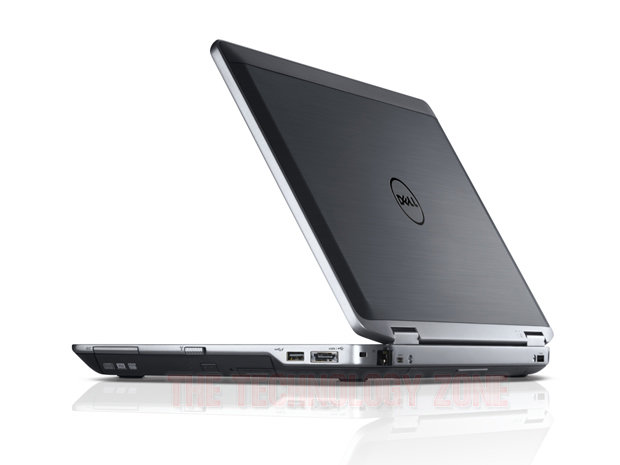
There's a reasonable selection of ports and slots dotted around the system. On the left, from the back, there's a VGA port, a microphone/headphone combo jack and a smartcard reader. The right-hand side, again from the back, has a USB/eSATA combo port, a USB 3.0 port, the optical drive and a 34mm ExpressCard slot. Above the optical drive is a hardware switch for the wireless radios. In a neat touch, the ExpressCard spacer doubles as a small ruler, and also lists various unit conversions.
The back of the system is largely taken up by the 6-cell 65Wh Li-ion battery, which protrudes by about 2cm (providing a rather convenient grip if you ever need to hold the notebook in the crook of an arm). However, there's room on one side for RJ-45 (Ethernet) and HDMI ports, and on the other for a second USB 3.0 port.
The front of the notebook has an SD card slot in the middle, flanked by a couple of fan vents. Finally, there's a docking connector on the underside, which gives access to a range of Latitude port replicators and docking stations.
Like the rest of the 2012 Latitude range, the E6430s is fully equipped with business-class security and management features. We've mentioned the smartcard support, fingerprint reader and encrypted hard drive options; there's also TPM (hardware access control) and vPro (out-of-band remote management) support, plus Dell Data Protection and Intel Management and Security software.
Performance & battery life :
The Windows Experience Index (WEI) for the Latitude E6430s is a moderate 5.1 (out of 7.9), the WEI corresponding to the lowest component score. As usual, this is for the integrated graphics — specifically Graphics (Desktop performance for Windows Aero). Memory (RAM) (Memory operations per second) and Primary hard disk (Disk data transfer rate) both scored 5.9, Gaming graphics (3D business and gaming graphics) registered 6.4 and Processor (Calculations per second) led the field with 7.2:
Our review unit is clearly no speed demon, but a couple of well-chosen upgrades would boost performance significantly. There's nothing you can do about the graphics, but upping the RAM to 6GB or 8GB, and maybe adding the hybrid HD/SSD, would make a difference. If you particularly need fast storage, or the lowest possible power consumption, bite the bullet and specify an SSD.
We looked at processor and graphics performance more closely with the Cinebench 11.5 benchmark, comparing the Latitude E6430s to the fastest notebook we've seen recently, the 11.6in. Eurocom Monster 1.0:
Clearly, Dell's business workhorse is no match for the souped-up Monster, with its Core i7-3920XM Extreme Edition CPU and discrete Nvidia GeForce GT 650M GPU.
To estimate battery life we measured the E6430's power consumption when idling and when loaded (running Passmark Software's Performance Test 7), under the system's Ultra Performance and Power Saver power management schemes. Dividing the wattage (recorded using a Voltcraft VC940 Plus multimeter) into the 6-cell battery's 65Wh capacity gives an expected battery life figure in hours:
On this basis, you can expect the Latitude E6430s to last for between about 7.5 hours and 2.5 hours, depending on the workloads you're hitting it with. If you need more battery life, you can replace the optical drive with a 30Wh battery, or go the whole hog and add a 97Wh extended battery slice. Both options will, of course, add extra cost and travel weight.
Conclusion :
The Latitude E6430s is a solidly built and highly configurable 14in. business notebook with excellent security and remote management features. However, some may find it just too big and heavy to take on their travels.
In an formal publish on its OnQ blog, Qualcomm has exposed that the Tablet released at IFA Germany this year, the New Samsung ATIV Tab and the Dell XPS 10 are operated by the Qualcomm Snapdragon S4 processor processor, a fully-integrated, system-on-chip (SoC) solution capable of running the range of Windows programs. Qualcomm creates that as opposed to traditional PC processor chips, a Snapdragon-powered product is developed to easily provide a complete daily worth of power supply, lasting days on stand by without an assortment power charge.
The new New Samsung ATIV Tab is developed with a hair line finish and provides a complete Windows 8-based PC encounter with product flexibility. With a weight of 570g, presenting a 10.1-inch display and calculating 8.9mm wide, the ATIV Tab immediately footwear up without lagging. It comes with Office Home and Student 2013 RT, offering the new variations of Word, Succeed, PowerPoint and OneNote. These programs are completely presented with complete papers compatibility; users can open and create any papers, make modifications on it and share it with others. It is driven by an 8,200mAh. Moreover, the ATIV Tab is suitable with a range of Windows-based PC gadgets and components, such as models, computer keyboard, projectors, exterior watches, and other peripheral devices, through its USB port and uHDMI, with no need to set up extra software. The Windows centered pc is suitable across gadgets.
The XPS 10, as per the formal writing, features of a 10-inch multi-touch screen with improved watching perspectives, giving a good media encounter. The components give this product its business focus. A QWERTY key pad connect is completely extractible. All-day power supply capability prevails thanks to a Snapdragon processor processor.
The ARM processor-based XPS 10 is developed to run Microsoft’s future Windows RT os. The XPS 10, as per a publish on Dell's Official Corporate weblog, is available in a smooth package that brings together long power supply with a mobile key pad connect.
Windows RT-toting mini tablet with keyboard dock :
After showing off the XPS 12 Duo here at IFA 2012, Dell turned its attention to the Windows RT variant of Windows 8, announcing this – the Dell XPS 10.
It's a 10-inch (you guessed it!) tablet that's less than 10mm thick and comes complete with a keyboard dock that makes it seem almost like an ultraportable laptop.
The XPS 10 feels as good and as lightweight as a high-end Android tablet in the hand, while the screen is extremely (and surprisingly) bright and crisp - far more so than many Android tablets we've seen at IFA 2012, though the screen size here is smaller due to the large bezel.
As you can see there's a Windows Start button on the bottom of the tablet itself - this does the same as the Start button on the keyboard and takes you back to the Start screen.
The effect is good when the tablet is undocked or open in clamshell mode, but it does make for a rather odd-looking device when it is shut - it looks rather like a netbook, though we're sure Dell won't thank us for the comparison.
Here's the rear of the device - as you can see there's a rear-facing camera. Unfortunately we're restricted as to what we can report on the specification of this device until launch, but suffice to say it boasts an impressive megapixel count for a tablet.
Dell's Sam Burd called the XPS 10 an "outstanding companion device" and we'd have to agree; despite Dell telling us that it would be at home in business ("businesses can be assured that they will be able to manage and secure the XPS 10 on their networks"), the fact is that Windows RT just won't be up to the job without the ability to install desktop apps.
This is good news for people like Dell though; full-blown Windows 8 or Windows 8 Pro running on x86 will be the OS of choice for many.
However, the XPS 10 won't be lacking in power for many apps - it's powered by a Qualcomm's Snapdragon S4 processor, though it's unclear as to the variant.
This is the best shot we have of the undocking mechanism - look at the slider underneath the screen. Simply slide this and lift the tablet out of the dock.
Here's Windows RT in action. Notice the pre-installed Office icons along the taskbar in desktop mode, if only it had Outlook as well..
The device will have up to 20 hours of battery life when docked – 10 hours of battery from each half of the device. We're not expecting the XPS 10 to be cheap because of this, so don't expect it to match an iPad for price.
Early verdict :
The Dell XPS 10 release date is late October, alongside the launch of Windows 8. We're very impressed with it and would certainly like to find one in our Christmas stocking, but as with all Windows RT devices, the proof will be in the pricing.
Summary: If you want to know what this fall's Windows 8 hardware menu will look like, look at Dell's three new models. The trio cover all the bases, from tiny Windows RT tablets to a giant all-in-one with a Retina-like quad-HD display.
In a media occasion at IFA 2012 in Germany these days, Dell revealed three new designs in its XPS sequence. In the process, the organization took several veiled swipes at Apple company and obtained a technique or two from Microsoft’s playbook.
The new gadgets, all with 10-point touchscreen display ability, protect the three groups that will be a choice for new Ms windows 8 components this fall: an ARM-powered Ms windows RT sports convertible, an Apple company i5-based renew for the flip-screen Dell Duo, and a 27-inch all-in-one leader with a quad-HD show.
Sam Burd, International VP of Dell’s Personal Processing Product Team, echoed Microsoft’s texting with this introduction: "We have attentively walked returning and reimagined every element of what makes a PC."
“Reimagined” might be too powerful of a term. Anyone that is seen the XPS 13 Ultrabook and its 14- and 15-inch successors will identify the components and many of the components of design.
In another nod to Microsoft’s strategy, the organization dropped to discuss costs and kept its show designs under cup, making it difficult for irritating reporters to get any hands-on time with the devices
The XPS One 27 is big and stunning, with very fresh collections and a show that seemed crystal clear even when cruising deeply into high-resolution images. Dell roles it as one that is “designed for experts but also performs for family members.” Burd included, “We think contact is a welcome boost to this show,” observing that the only other comparative display—Apple’s extremely recognized Retina display—allows customers to look but not contact.
The flexible take a position seemed powerful from a range and straight easily returning and down into a laydown function good for lightbox-style work. It’s a trial we’ll see over and over as new, identical designs appear this drop, but it’s an start query whether experts and family members will look for the real-world use situations for this settings.
The other two designs are both developed for cellular use.
The XPS Duo 12 has a 12.5-inch show, with a produced metal frame and as well as fibre on the returning of the show and the end of it. It uses the same technique as the mature Inspiron Duo, with a depend in the middle of the show that allows the show to turn and lay smooth over the laptop key pad. The outcome changes an Ultrabook into the operating comparative of a product, although it has the width and weight of the laptop computer.
Dell just didn't provide up full specifications for the show, but described it as “Full HD, with 97% more p than Conventional HD” (presumably 1920x1080) with edge-to-edge cup, CPUs up to Primary i7, and a backlit key pad.
The last access is the XPS 10, operating Ms windows RT in a program that looks amazingly like a minilaptop, with a lightweight key pad. As opposed to Ms at its Area release, Dell was willing to discuss utilization, offering that the product would provide “up to 20 hours of battery power life” and run for an whole few days thanks to its cash conscious power control.
And in a "one more thing" time, Dell revealed off the device’s monster feature—the show pictures away from its depend to turn into a product type aspect.
All three designs will be available on the market when Ms windows 8 releases, but you will have to delay to discover out how much to pay.
Summary: Another result from Dell's purchase of Wyse Technologies earlier this year: the company can now offer a unified, cloud-based console to handle PCs, smartphones, tablets, thin clients and zero clients.
Dell has tossed its new Venture Stratus system control gaming system into what it calling 'public beta', making it available to Dell Wyse clients and associates for month-long test times.
The cloud-based gaming system is developed to keep a manage on the bring-your-own-device (BYOD) pattern. It allows IT staff safely manage a variety of gadgets, such as PCs, mobile phones, pills, slim clients and OS-free zero clients.
Project Stratus is one outcome of Dell's purchase in Apr of Wyse Technological innovation, the virtualisation and slim customer company — a cope that has already permitted Dell to move out new products for the academic industry.
"As the BYOD pattern [occurs] and organizations start to look at other customer technology like applications, we see IT requiring the capability to quickly adjust and accept new end-user service distribution designs," Venture Stratus cause Hector Angulo said in a writing on Thursday.
"Project Stratus was developed to offer this nimbleness in a simple, protected and cost-effective program — if IT needs to control end individual gadgets, they can; if all they care about is handling how business information and applications are provided regardless of system, it can manage that too."
Dell is throwing Venture Stratus as a easier and less expensive substitute to operating such control controllers on on-premises hosts.
The gaming system provides real-time statistics, and also provides signals about conformity offenses "with the choice to take contextual actions", Dell said. These activities could consist of caution the individual or preventing them, for example.
The actual advantage of Venture Stratus, though, is its specific characteristics. Until now, Dell's slim customer control item has come through collaboration with Devon IT. By purchasing Wyse, Dell can now move that performance into the same user interface used for other kinds of customer.
Summary:Hard drives and optical drives are not commonly associated with 'true' ultrabooks. Even so, Dell's Inspiron 14z has its plus points, although there's a question mark against the keyboard.
The ultrabook was designed as an ultralight, ultraportable laptop pc with SSD storage space rather than a disk generate. There are a lot of ultrabooks that fit this invoice, but Dell's Inspiron 14z Ultrabook definitely extends the meaning to the restrict.
The Inspiron 14z is certainly a awesome little pc — but is it really an ultrabook? All designs have an visual generate, for example, and most have disk generate rather than SSD storage space. There is an SSD choice, but it's the top-end £879 (inc. VAT; £732.50 ex. VAT) preconfigured style on Dell's UK web page. All of the less costly alternatives, which start at £599 (inc. VAT; £499.16 ex. VAT), have a 500GB disk generate and a small 32GB mSATA display greeting credit cards.
Nor is the Dell Inspiron 14z particularly mild or thin: 1.87kg isn't that different to conventional laptops, and I calculated it at 34.4cm large by 24cm strong by 2.1cm large.
Configuration alternatives are numerous, with (third-generation Ivy Bridge) Primary i3, i5 and i7 brand options. I like the framework style, and its two-tone grey/silver program won't look out of place in the workplace. The laptop pc seems quite steadily designed too.
The Inspiron 14z has a number of USB 3.0 slots as well as a microphone/headphone combination port, an SD- and Memory-Stick-compatible display greeting credit cards audience, HDMI and Ethernet slots. Dell has put a number of slot defends on the left-hand side: one defends the Ethernet slot, while the other defends the HDMI slot and one of the USB slots.
These slot defends are difficult to eliminate and the connections are quite recessed, and I'm not assured that heavy USB connections from mature peripheral devices will actually be connectable. Luckily the second USB slot, on the right-hand part, doesn't have a protect.
The 14in. display is good but not outstanding: its 1,366-by-768 board has cost-effective watching perspectives, but the shiny complete won't please everyone.
I'm less assured by the laptop key pad, which has a lot of fold — even light-fingered typists will probably observe it. This doesn't bode well for durability — and given that laptop pc computer keyboard are usually used every day, techniques here seems a bit strange.
The Inspiron 14z may not be a real ultrabook, but the cheaper Ivy Link designs are still attractive. I'd recommend trying before you buy, though, to see how you experience about the laptop key pad.
Summary:The Vostro 3560's 1080p screen is well worth the extra outlay, and rest of the specification is solid, although we'd like more storage options. The physical design is unremarkable, the keyboard a little too flexible and battery life disappointing, but it's still good value for money.
Dell's Vostro 3560 is a large 15.6in. notebook that lacks design finesse but packs a real punch. Among the user-configurable options are a high-resolution 1080p screen and an Intel third-generation Core (Ivy Bridge) processor — both of which were present in our £549 (ex. VAT) review unit.
Design :
The Vostro 3560 might have a lot going for it in terms of raw specifications, but there are precious few design highlights. In fact, this notebook is something of a brick, with a blocky chassis design.
The chassis tapers slightly towards the front, which boosts the aesthetics, while the use of a contrasting colour for the front 13mm or so of the lid and base sections is pleasing. However, there's no 'wow factor' here — although we do like the fact that the status lights are on the front edge, simply because this makes them easy to see.
Inside, the design gets a bit more interesting with a silver reflective frame to the slightly recessed keyboard that's set against a darker, slate-coloured surround. Whether you like it or not is down to personal taste, but at least it's different.
The Vostro 3560's 2.57kg weight might put mobile professionals off, although its dimensions — 37.5cm wide by 25.9cm deep by 2.88-3.25cm thick — are reasonably trim. Dell could have made this notebook thinner, reducing the lid and base sections by a few millimetres, but the footprint isn't overly large — there's not a lot of screen bezel, for example.
The 15.6in. screen, on the other hand, is a pleasant surprise. Dell offers a 1,920-by-1,080-pixel resolution option for the Vostro 3560, which is what we got in our review sample. The extra pixels over the standard 1,366 by 768 resolution allow you to see more rows of text in documents, and generally get more data on-screen: it's very comfortable to work with two document windows side by side. The LED-backlit panel has an effective anti-glare coating, good viewing angles and delivers vibrant colours.
The large and responsive touchpad beneath the keyboard is a plus point, and when it's disabled via a Fn-key combination (to guard against accidental activation when typing) an orange LED above it reminds you of the fact.
Sitting above the recessed keyboard area on the right are three small buttons. One opens the Dell Support Centre, which provides access to system information and tools. Another opens the Windows Mobility Centre, while the third can be configured to do one of a number of tasks — ranging from muting the microphone to toggling presentation mode, to turning off the display.
The keyboard itself is comfortable to type on with a good action to the isolated keys. There's a fair amount of flex, however, which heavier-handed typists will certainly notice.
Features :
There are five preconfigured Vostro 3560 models at Dell's website as we write, starting at £369 (ex. VAT) and rising to £699 (ex. VAT). Our next-to-top-end review sample is listed at £549 (ex. VAT).
For that outlay you get a third-generation (Ivy Bridge) Intel Core i5-3210M processor running at 2.5GHz, supported by 6GB of RAM. The RAM quota has only recently been upgraded, and our review sample came with 4GB. Graphics are managed by a discrete GPU — AMD's Radeon HD 7670M with 1GB of dedicated video RAM — rather than the CPU-integrated Intel HD Graphics 4000. The operating system is Windows 7 Professional 64-bit.
Our review sample came with a 500GB hard drive spinning at 7,200rpm. Unfortunately this is the largest-capacity hard drive you can specify for the Vostro 3560 — we'd prefer more choice here.
Wi-Fi (802.11b/g/n), Bluetooth (4.0) and Gigabit Ethernet are all present.
There is an HD webcam on the upper screen bezel, which is supported by Dell's own webcam software. You can take photos and record video at resolutions to 1,280 by 720 pixels, and also upload to Photo bucket and YouTube from within the app.
If you're in frivolous mood, Dell Webcam Central offers a host of effects, including scenes to drop onto your video or photo, face 'accessories' such as eyeware and hats, avatars and some clever if rather unnerving face distortion effects. There's no face-recognition login option, but biometric login is catered for via a fingerprint sensor embedded into the wrist rest.
Dell provides no fewer than four USB 3.0 ports, one of which has Power Share capability. These are deployed in two pairs, one on the left edge and the other on the right. The right edge also houses a 34mm ExpressCard slot — quite a rare sight on notebooks these days. The optical drive is also on the right, along with the Ethernet (RJ-45) port.
As well as two of the USB 3.0 ports, the left edge carries VGA and HDMI ports, plus a pair of audio jacks (microphone and headphone). On the front there's a card reader that accepts SD- and Memory Stick-compatible media.
Performance & battery life :
The Vostro 3560's Windows Experience Index (WEI) of 5.9 (out of 7.9) is very respectable, with the Processor (Calculations per second) score leading the way on 7.1. The WEI corresponds to the lowest component score, which in this case was a draw between RAM (Memory operations per second) and Primary hard disk (Disk data transfer rate). In between came Graphics (desktop performance for Windows Aero) and Gaming graphics (3D business and gaming graphics performance), both scoring 6.5.
Note that the model now shipping from Dell, with 6GB of RAM rather than the 4GB reviewed here, should perform even better.
Dell provides the Vostro 3560 with a 6-cell battery, which we tested by setting the notebook to play a DVD continuously until the (fully-charged) battery expired. It managed a disappointing 2 hours and 36 minutes under these conditions, which leads us to suspect that you'd struggle to get a day's typical usage from the system without resorting to a recharge.
Audio quality from the stereo speakers is good enough both for DVD-watching and for delivering multimedia presentations to small groups.
Conclusion :
The Dell Vostro 3560's high-resolution 1080p screen is well worth the extra outlay, if you can afford it. The rest of the specification, including an Ivy Bridge Intel processor, is solid — although we'd like more storage options. The physical design may be unremarkable, the keyboard a little too flexible and battery life disappointing, but this notebook still represents good value for money.